
Photo editing
Lustratio
Professional RAW editing and cataloging, at a price that makes sense.
- Windows
- macOS (later)
- Android (coming soon to Google Play)
No license yet? Use it free for 14 days as a trial, with every feature. Already bought it? Paste your key when you open it.
The first time you run the installer, Windows may show a “Windows protected your PC” notice. Choose “More info”, then “Run anyway”.
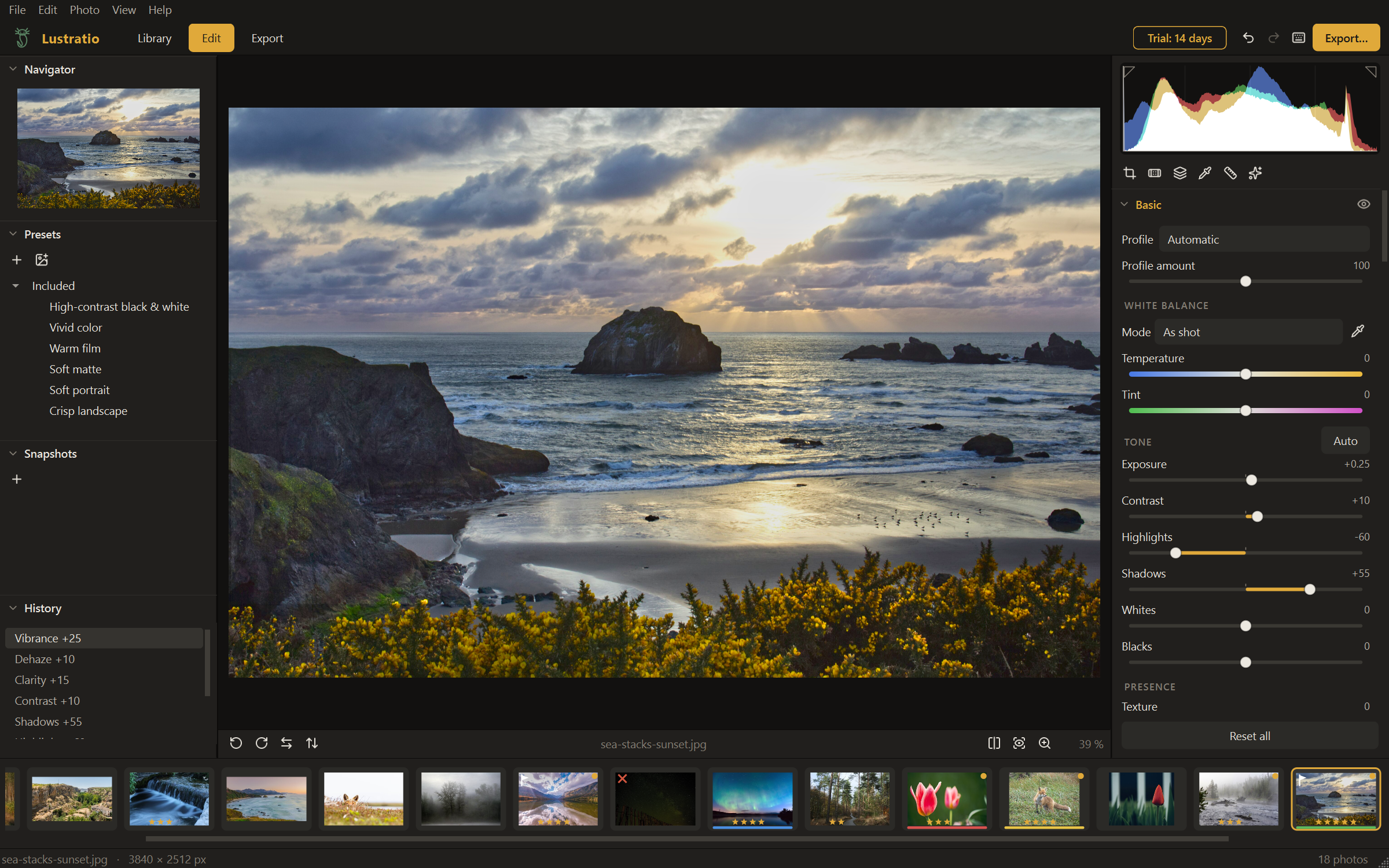
Lustratio is a RAW photo editor with a complete library, made for photographers who want professional results without renting their software every month.
Import your photos, organize them, edit them and export them, all in one app. Your originals are never touched, so you can experiment freely and always go back. And what you see on screen is exactly what you get when you export.
It is a one-time purchase of US$19.99 at launch (regular price US$29.99), with 12 months of updates and a 14-day free trial without watermarks. It is available for Windows now, with macOS Android to follow. The Android app is ready and coming soon to Google Play.
Also on Android
Lustratio on your phone
The same editor on Android: the same develop engine, the same panels and masks, and your presets and library can go from your phone to your computer and back. Coming soon to Google Play.
The same result everywhere
A photo edited with the same settings looks the same on your phone and on your computer.
Made for touch
On a phone the panels slide up from the bottom; on a tablet they sit beside the photo. Zoom and straighten with two fingers.
Its own purchase
Free to try for 14 days with every feature, then a one-time purchase through Google Play. Google requires its own payment, so a Windows license does not unlock the Android app.
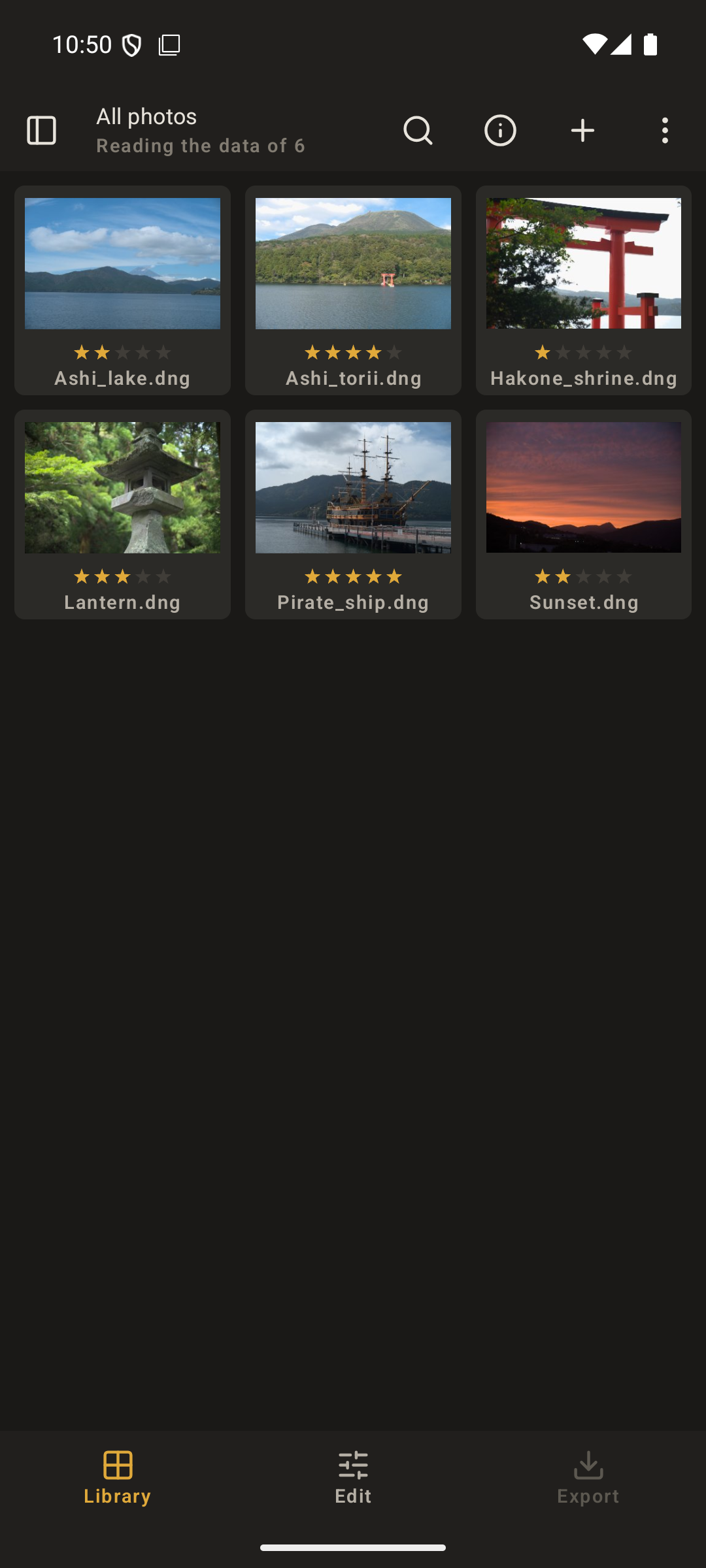
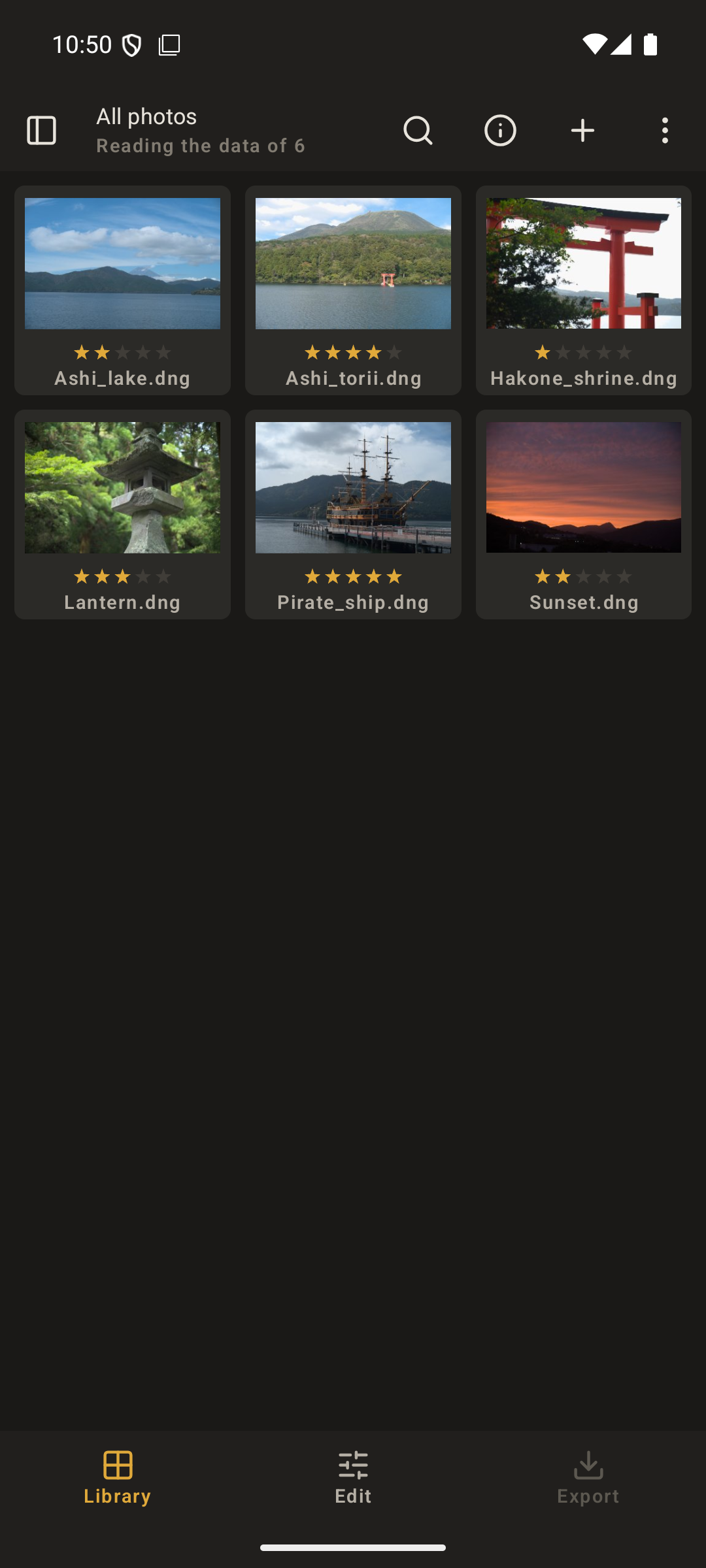
The library: folders, stars, flags and labels on your phone. 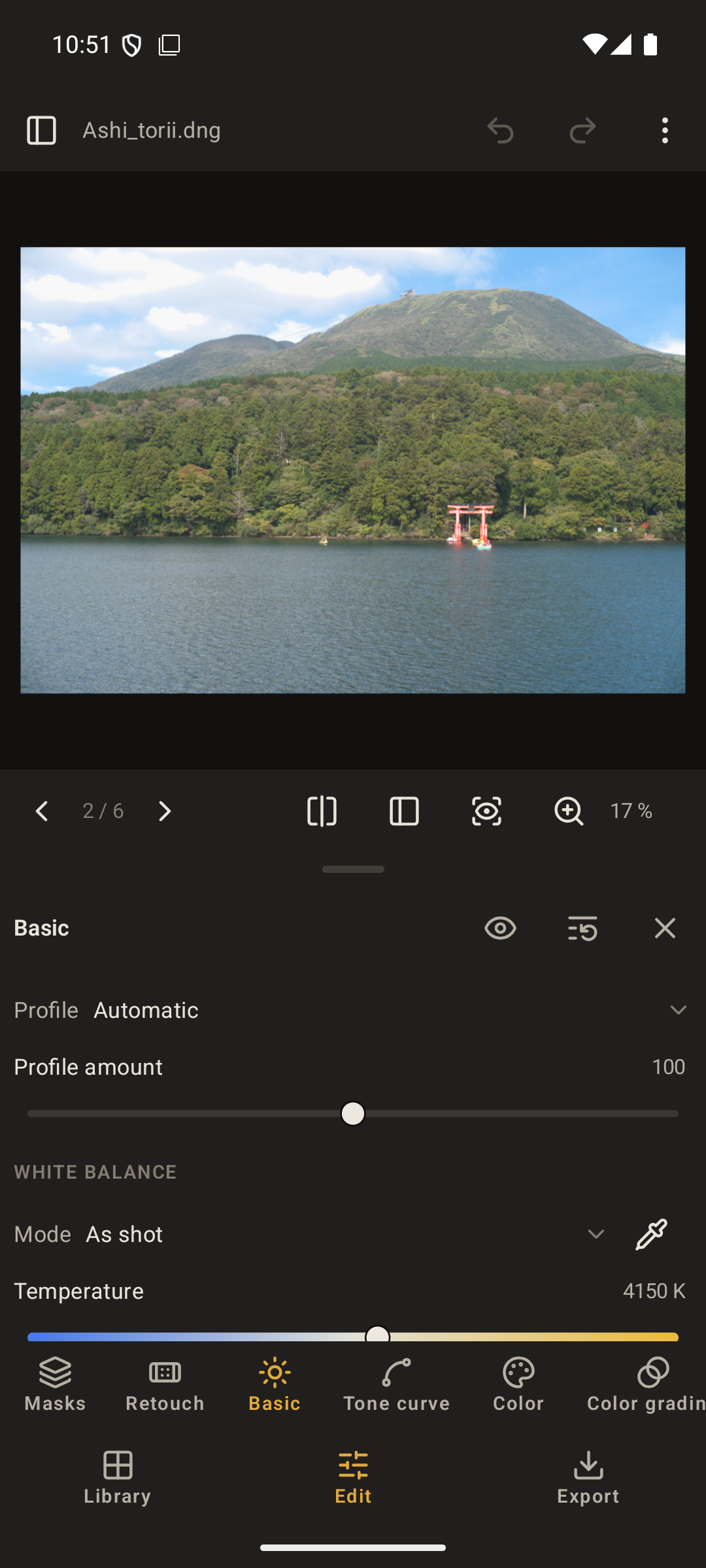
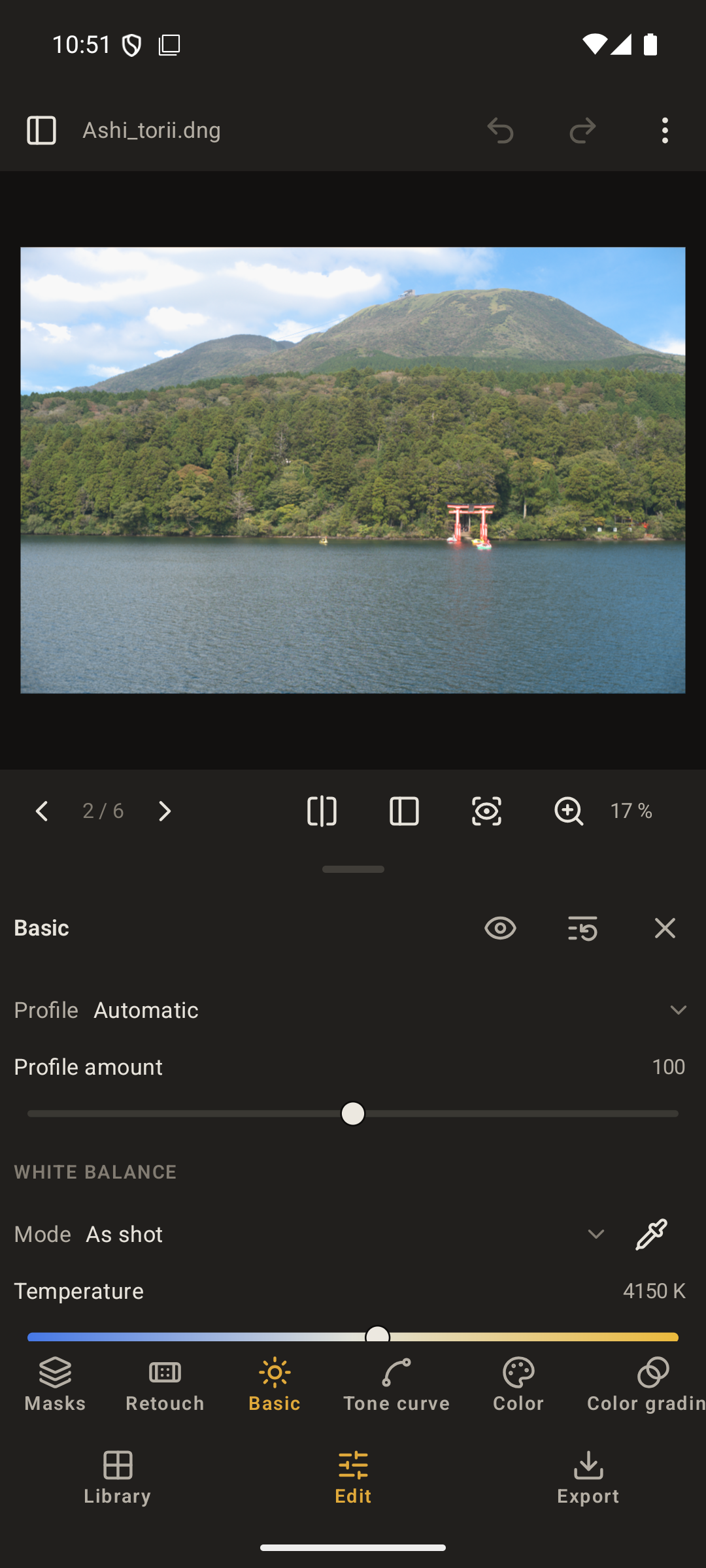
Develop your photos with the same engine as on Windows: profile, white balance and more. 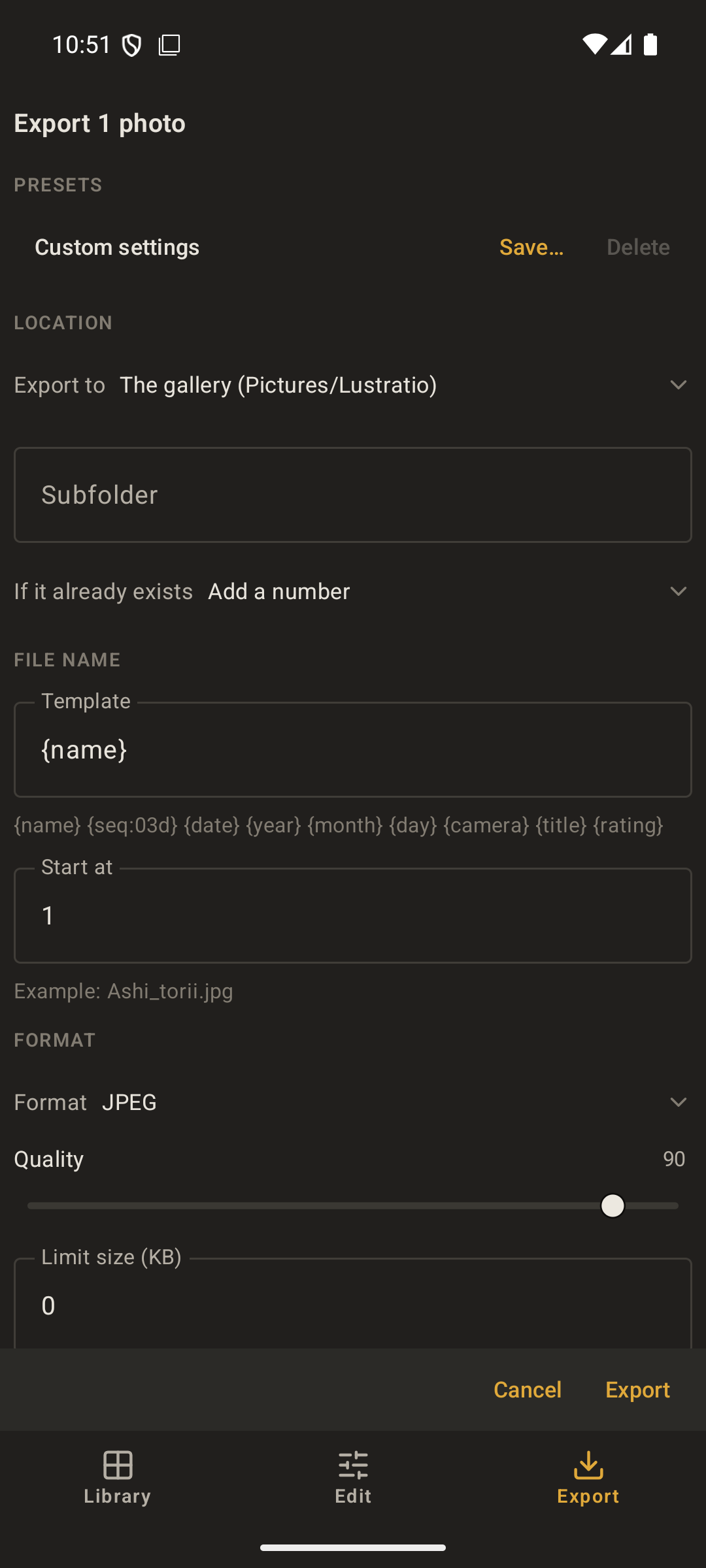
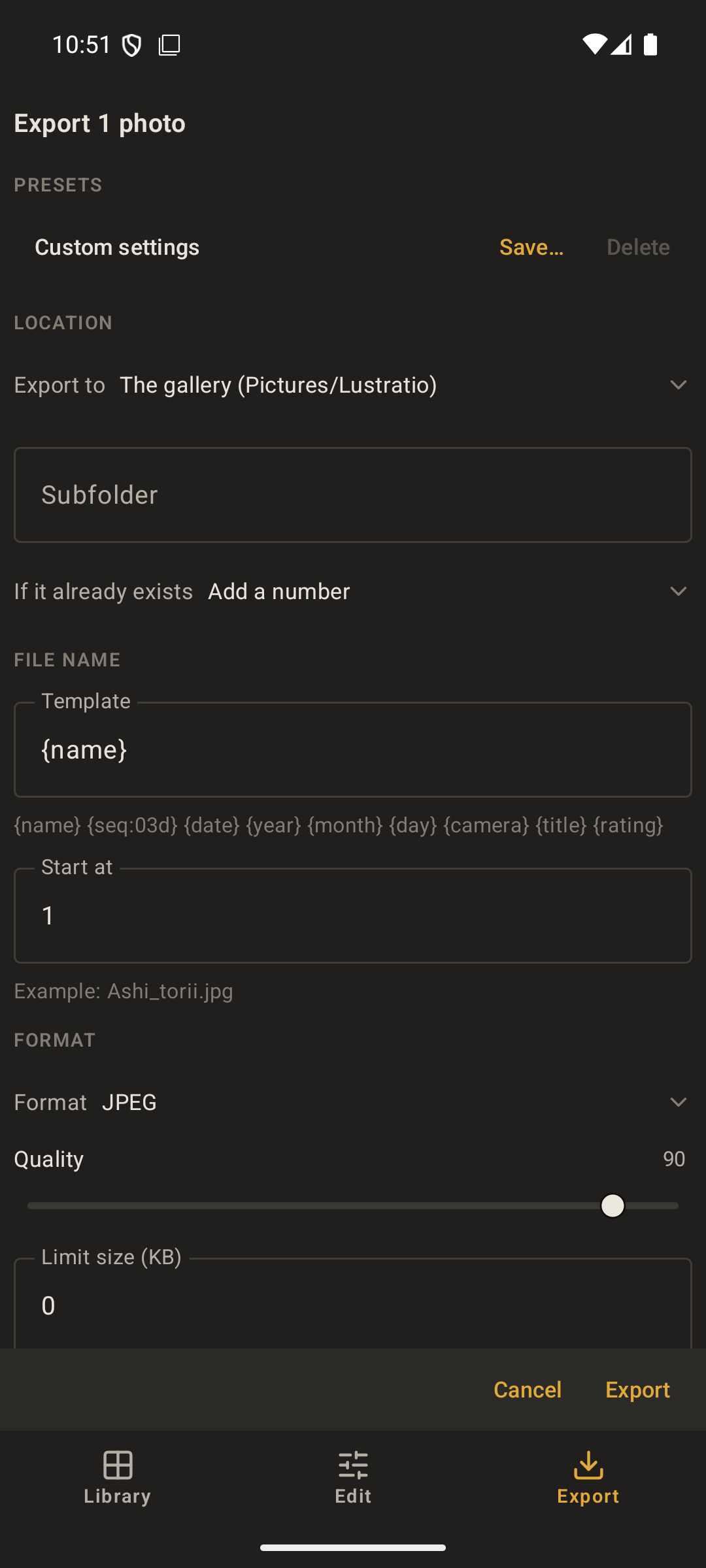
Export to your gallery, a folder or share it, with presets, file names and formats.
The tour
What you can do with Lustratio
See every change as you make it
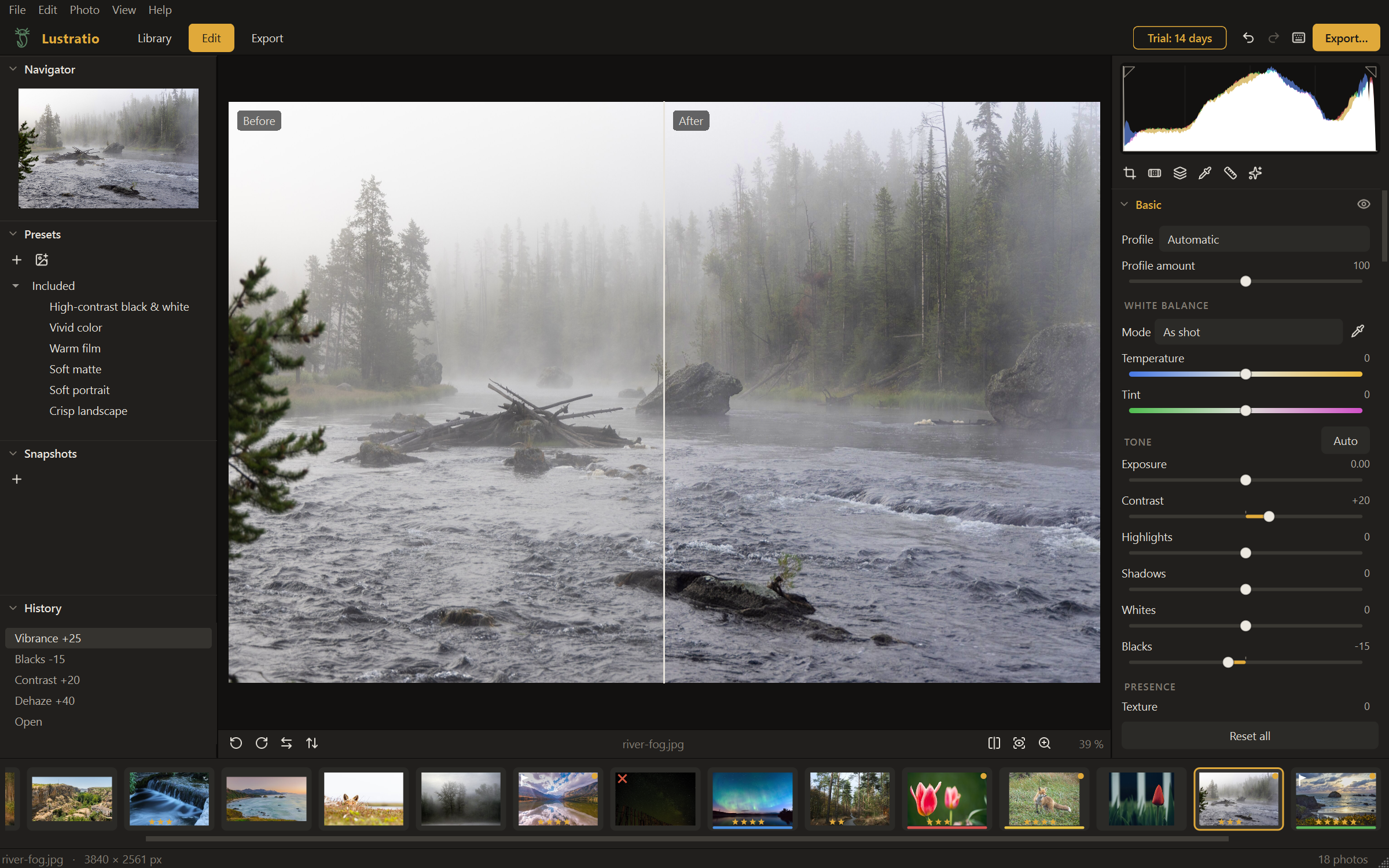
Move a slider and watch the photo change as you drag.
Beautiful color and light
Fix white balance, bring back highlights and shadows, and fine-tune every color until the photo looks the way you remember it.
What you see is what you get
The photo you export looks exactly like the one on your screen.
Before and after
Slide the divider to compare your edit with the original.
Your originals are safe
Your photos are never modified. You can always go back to the original with one click.
Edit only the sky
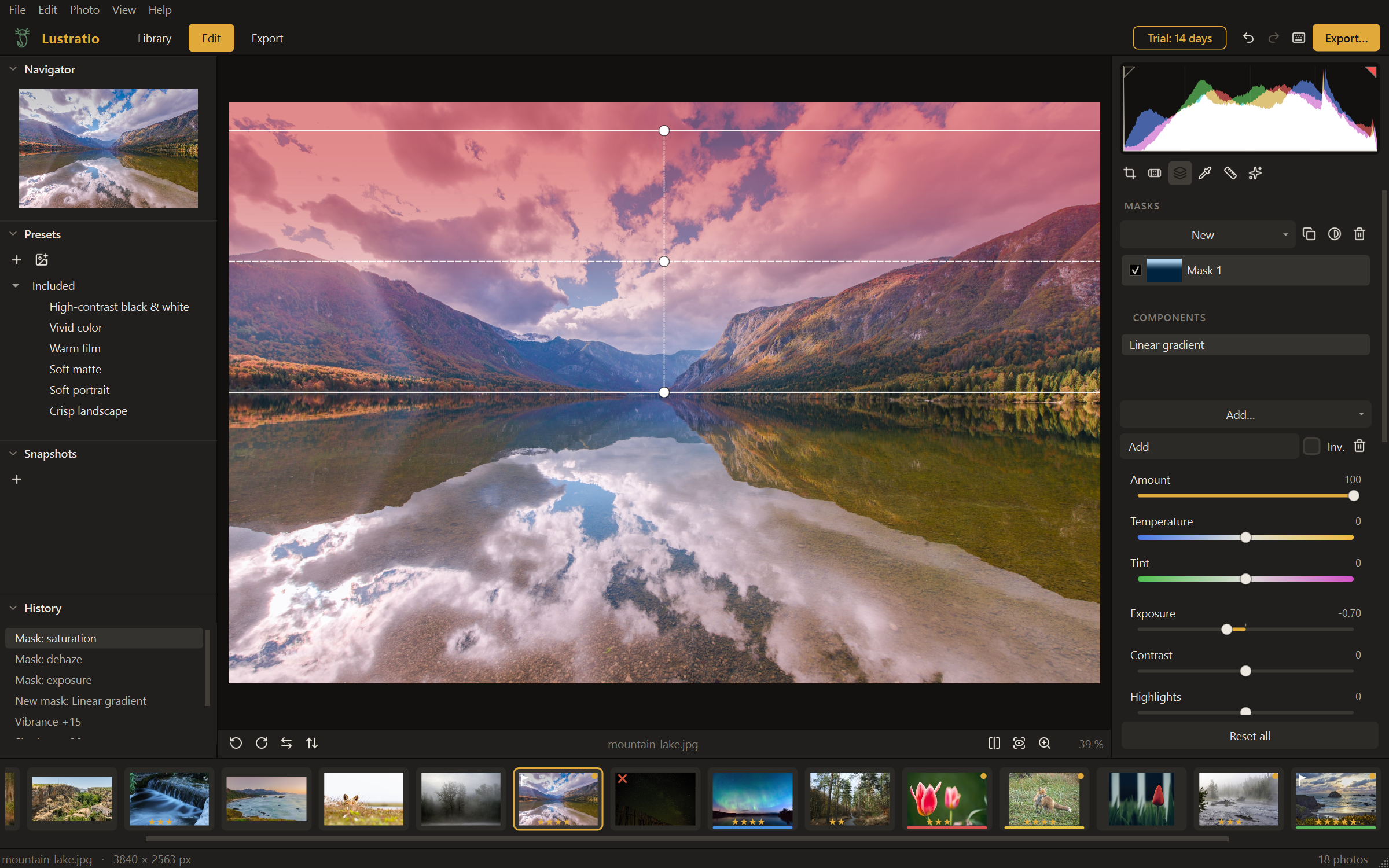
Drag a gradient over the sky, then darken and cool it on its own.
Edit only where you need it
Brighten a face, darken the sky or warm up a corner with brushes and gradients.
A new look in one click
Try a whole new look with one click, from vivid color to black and white.
Presets and history
Save your favorite looks, go back to any earlier version and apply the same edits to a whole shoot.
Find and rate your photos
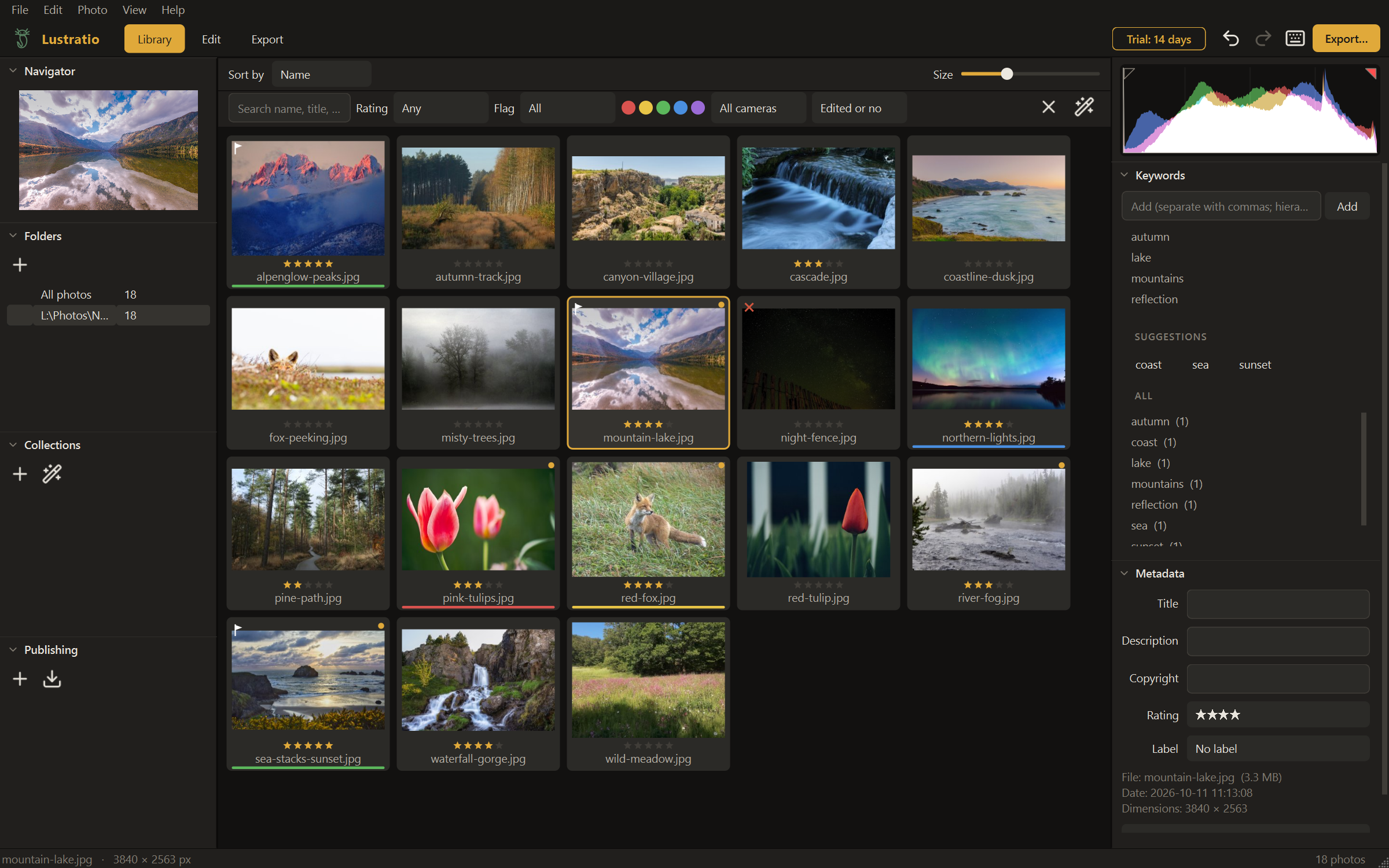
Browse your photos, rate your favorites and open one to edit with a double click.
Your whole library, organized
Folders, collections, keywords, star ratings and search keep even huge libraries easy to browse.
And more
Everything else inside
Works with your camera
Opens RAW files from Canon, Nikon, Sony, Fujifilm, Olympus, Panasonic and Leica, plus JPEG, TIFF and iPhone photos.
Sharp, clean detail
Remove haze and noise, add sharpness and texture, or give your photo a film-like grain and vignette.
Retouching
Remove dust spots and distractions, and fix red eyes in a couple of clicks.
Straight and distortion-free
Correct lens distortion and color fringing automatically, and straighten buildings and horizons.
Export for anything
Save for print, social media or your website, with the right size, sharpening and your watermark.
Six languages
Use it in English, Spanish, Portuguese, French, German or Italian.
Gallery
A closer look
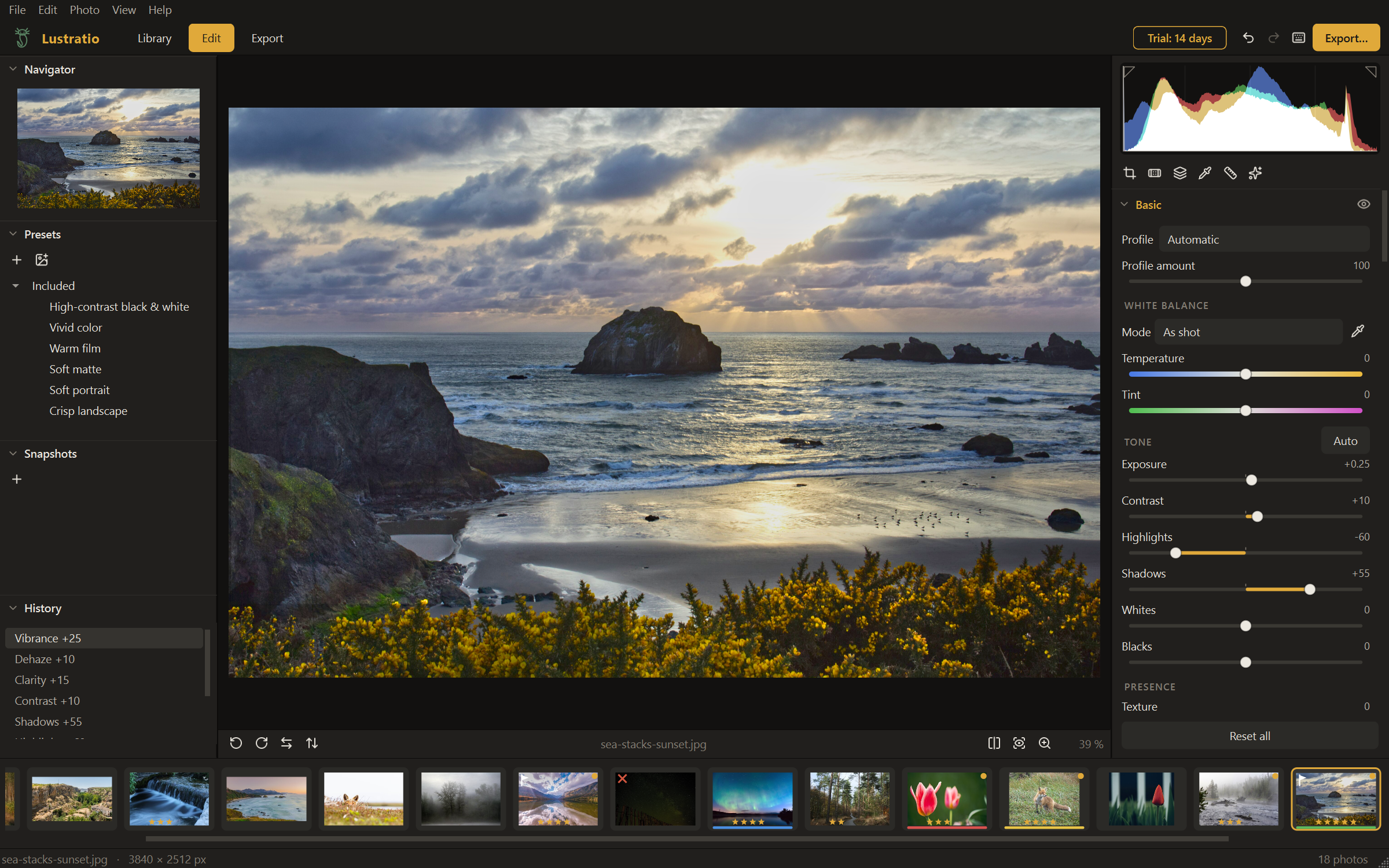
Bring a photo to life with simple sliders. Every change is reversible and your original file is never touched. 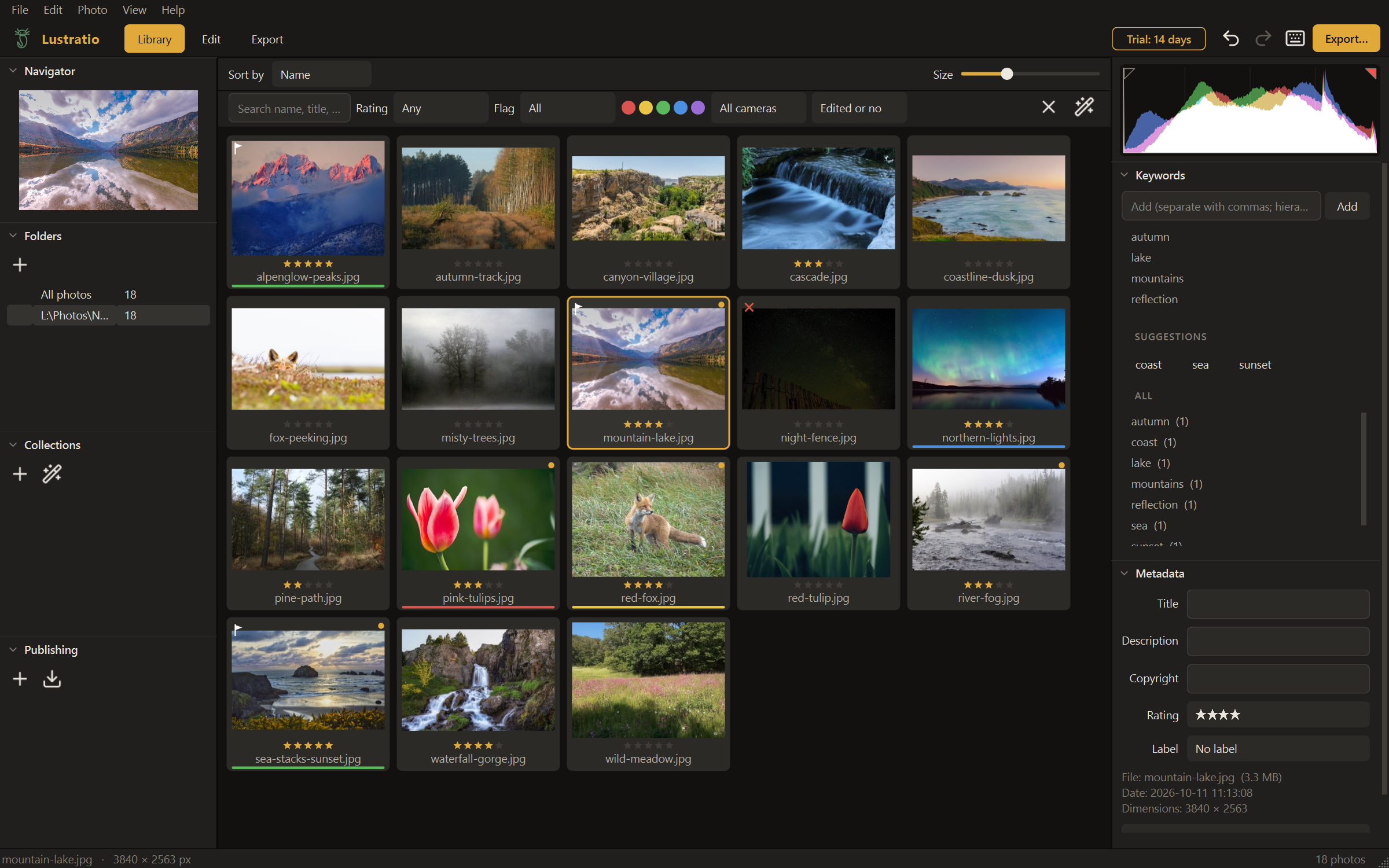
Keep every shoot in one place. Rate, flag, color-label and tag your photos, then find any of them in seconds. 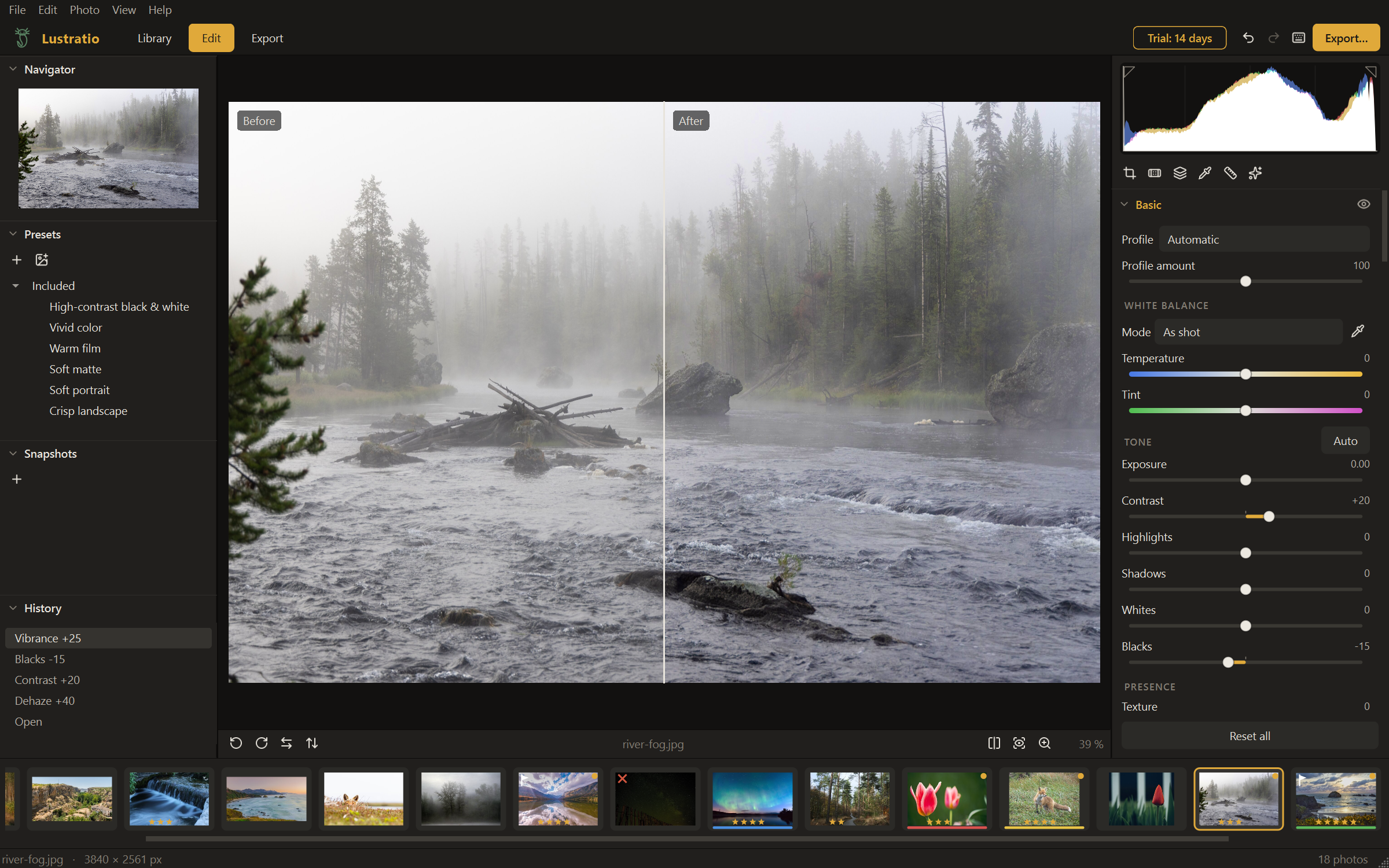
See exactly what your edits did. Compare before and after side by side on the same photo. 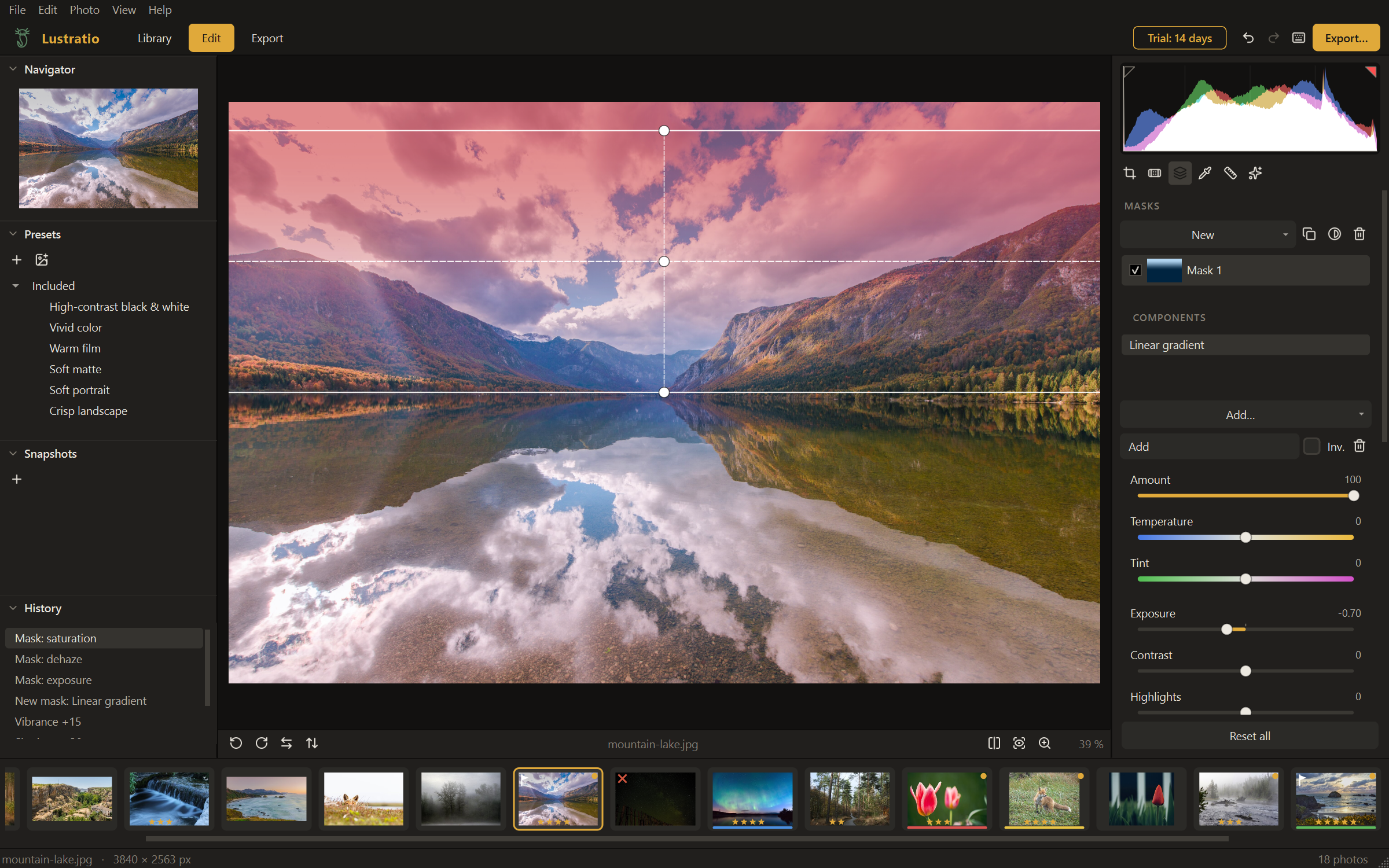
Edit just one part of the picture. Darken a sky or brighten a foreground without affecting the rest. 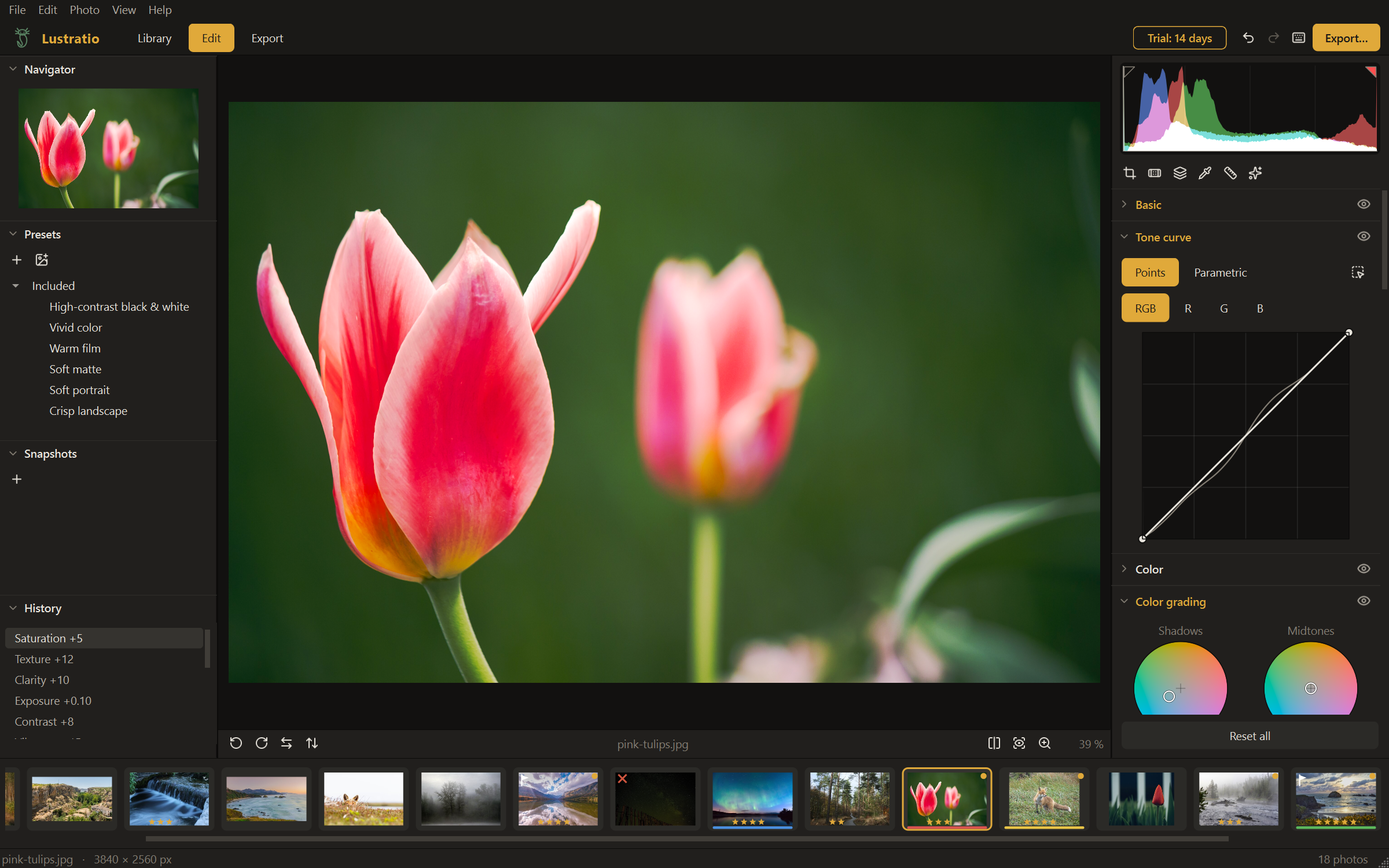
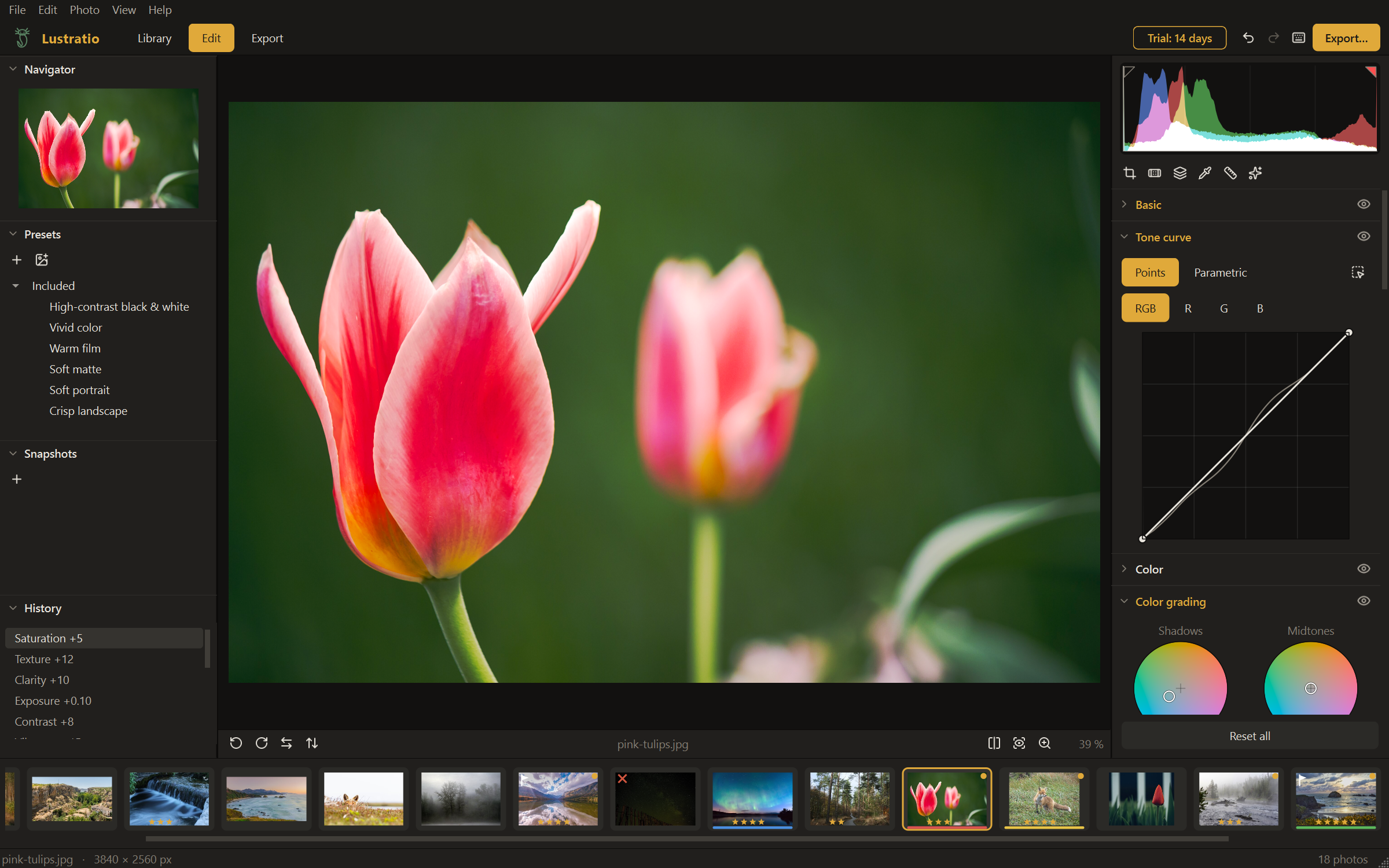
Shape contrast and color your way with a tone curve and color grading for shadows, midtones and highlights.
Download Lustratio
Without a license it works as a free trial for 14 days, with every feature, no card and no sign-up. Buy a license whenever you like and paste the key.
Regular price US$29.99. One-time purchase, no subscription. Includes 12 months of updates and a 14-day free trial.
Updates
What's new in Lustratio
Version 0.1.4Latest
- First public release of Lustratio for Windows.
To update, download Lustratio again and run the installer. You do not need to buy again: the same license key keeps working.
Details
- Status
- Available now
- Version
- 0.1.4
- Platforms
- Windows · macOS (later) · Android (coming soon to Google Play)
- Pricing
- US$19.99 launch price · Regular price US$29.99. One-time purchase, no subscription. Includes 12 months of updates and a 14-day free trial.
Requirements
- Windows 10 or 11, 64-bit
- 8 GB of RAM, 16 GB recommended for large RAW files
Want a reminder before your trial ends?
Optional: leave your email and we'll write a day before your 14-day trial ends, with tips to get the most out of Lustratio.