
Video editing
Videctio
Edit your videos and make them sound like a studio production, in one app.
- Windows
- macOS (later)
No license yet? Use it free for 14 days as a trial, with every feature. Already bought it? Paste your key when you open it.
The first time you run the installer, Windows may show a “Windows protected your PC” notice. Choose “More info”, then “Run anyway”.
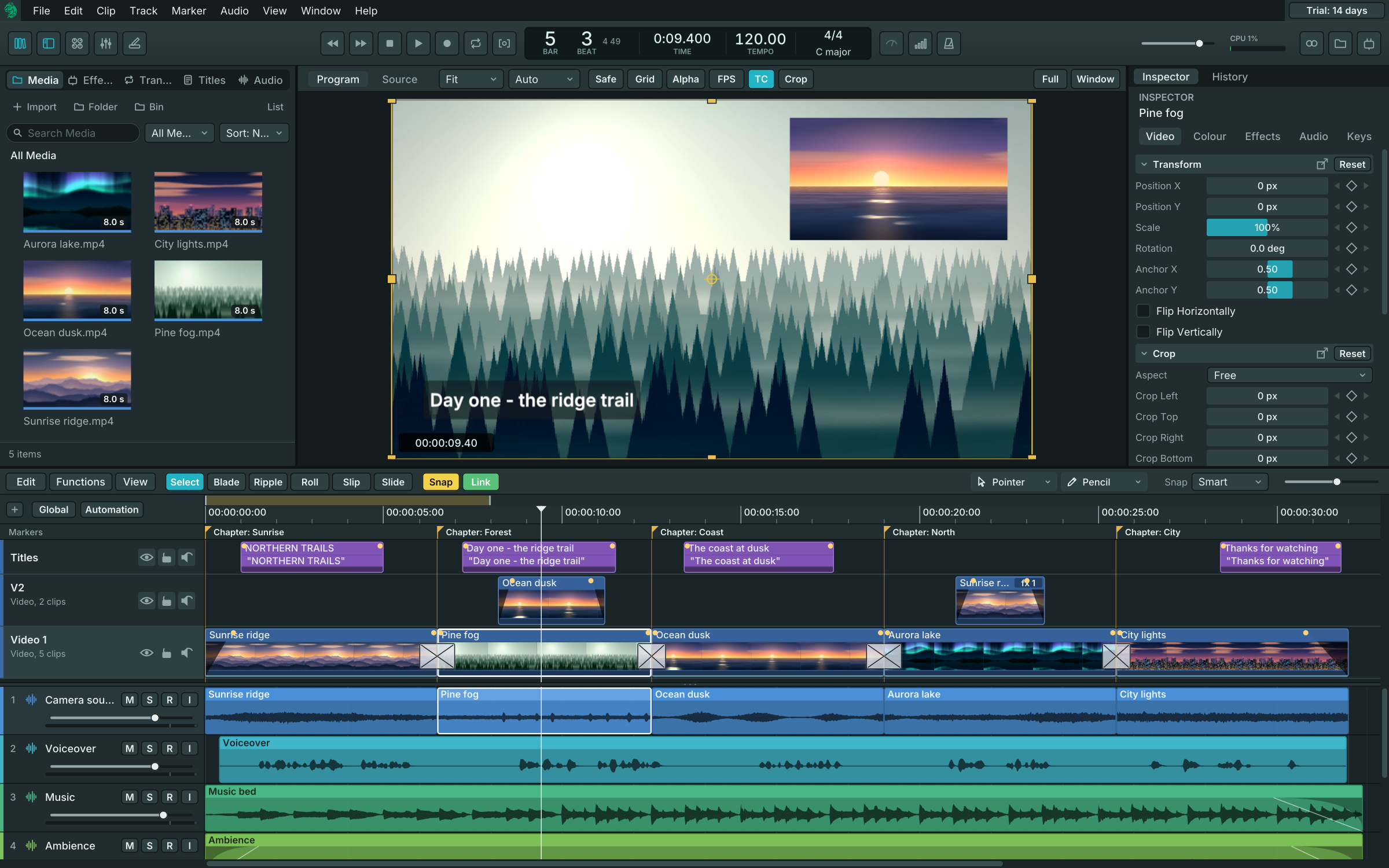
Videctio is a video editor that takes sound as seriously as picture. Cut your footage, correct the color, add titles and effects, and then mix and polish the audio with the tools of a full music studio, all in the same app.
It’s made for creators who are tired of jumping between a video editor and a separate audio program: clean up a voice recording, balance the music and export, without leaving your project.
It is a one-time purchase of US$19.99, no subscription, with a 14-day free trial that includes every feature and adds no watermark. When the trial ends you can still open and edit your projects; exporting needs a license. It is available for Windows now, with Mac to follow.
The tour
What you can do with Videctio
Watch your cut
Press play and watch the cut: dissolves, a picture inside the picture, titles and a wipe, all in real time.
Titles and transitions
Add titles, lower thirds and smooth transitions between scenes.
Edit with the mouse
Move, trim and cut with the mouse: drag a clip, pull its edge, slice with the blade.
Edit on a timeline
Cut, trim and rearrange your clips on as many tracks as you need. Picture and sound stay together unless you want them apart.
Set the mood
Move a slider and the picture follows: warmer, cooler, brighter, punchier.
Great-looking color
Fix white balance and exposure, fine-tune the color and apply ready-made looks to give your video a style.
Mix while it plays
Mix while it plays: ride the faders and watch the meters. The music steps back by itself when the voice comes in.
Sound like a music studio
A full mixer, effects on every track and your favorite plug-ins, so the audio gets the same care as the picture.
Balanced volume, automatically
Level the loudness of your video and lower the music on its own whenever someone speaks.
And more
Everything else inside
Effects
Blur, green screen, masks, stabilization for shaky footage and a low-poly look, with animation over time.
Clean up your audio
Remove background noise, hum and clicks, and make voices clearer with one click.
Sync sound and picture
Line up a separate audio recording with your video automatically.
Sharper footage with AI
Enlarge low-resolution clips when you export, keeping them sharp. It works with a separate tool that you download yourself.
Export for anything
Ready-made settings for the web and social media, plus GIFs, audio only and separate sound tracks.
Gallery
A closer look
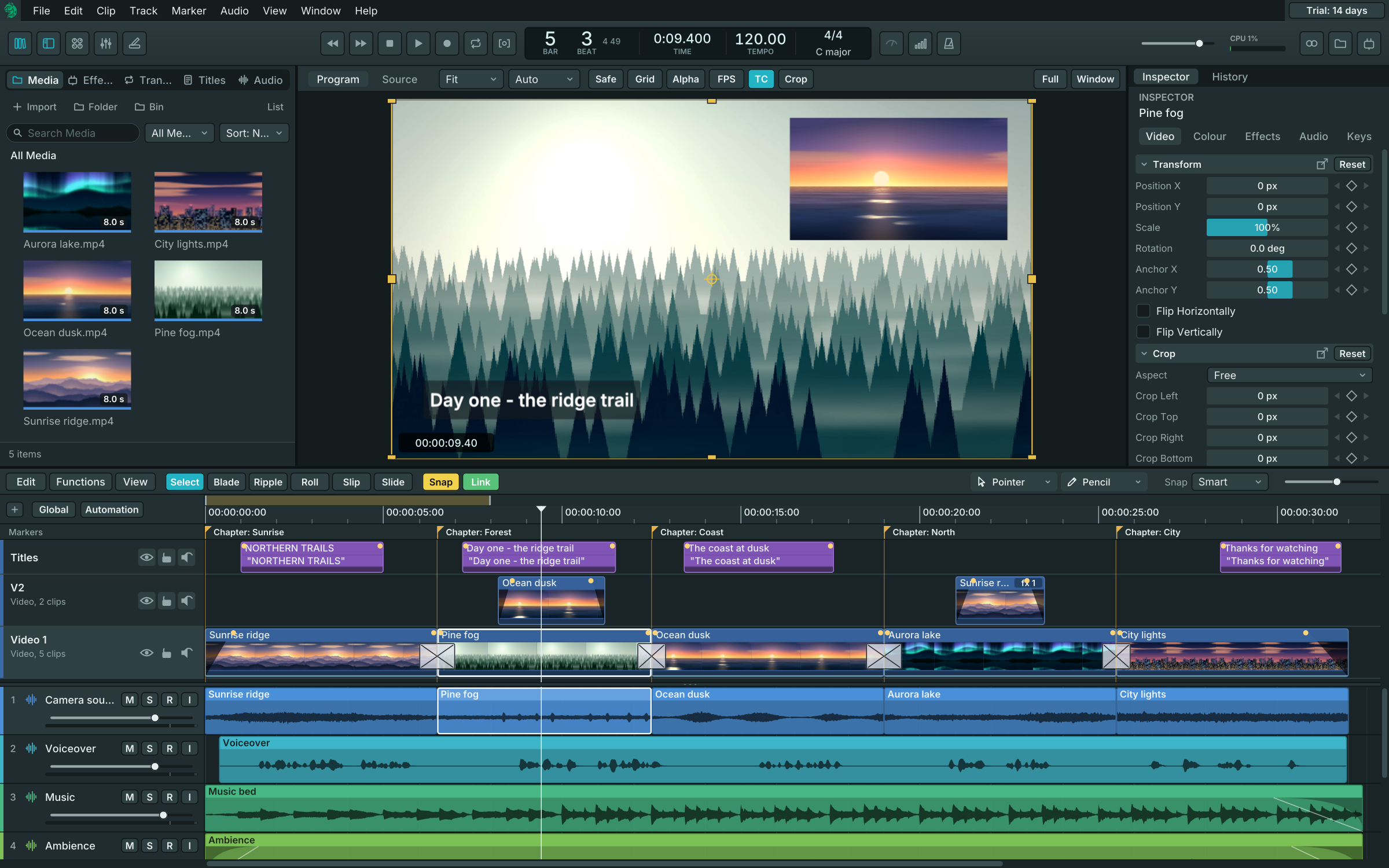
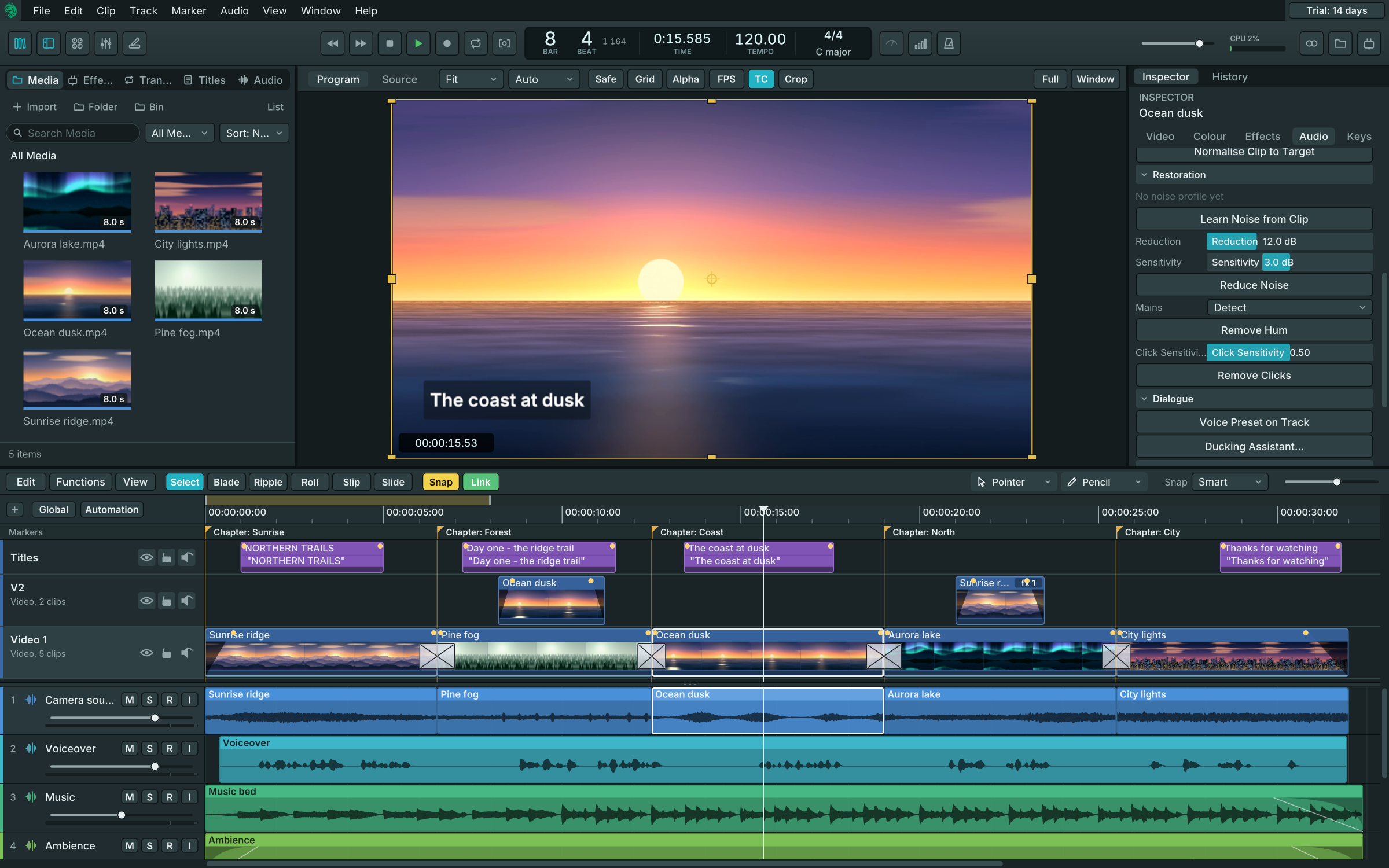
Picture and sound on one timeline: video, titles and every audio track in the same window. 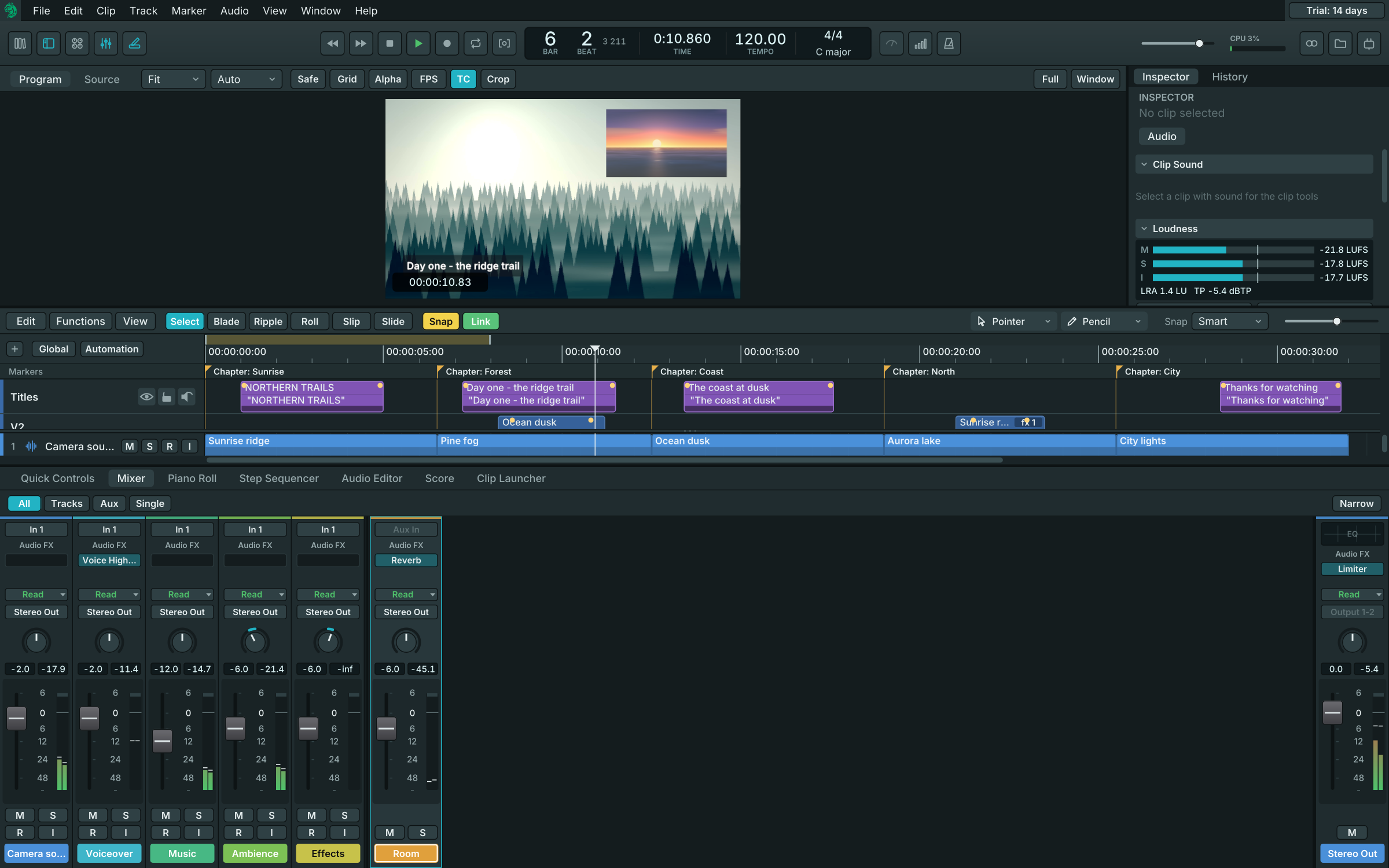
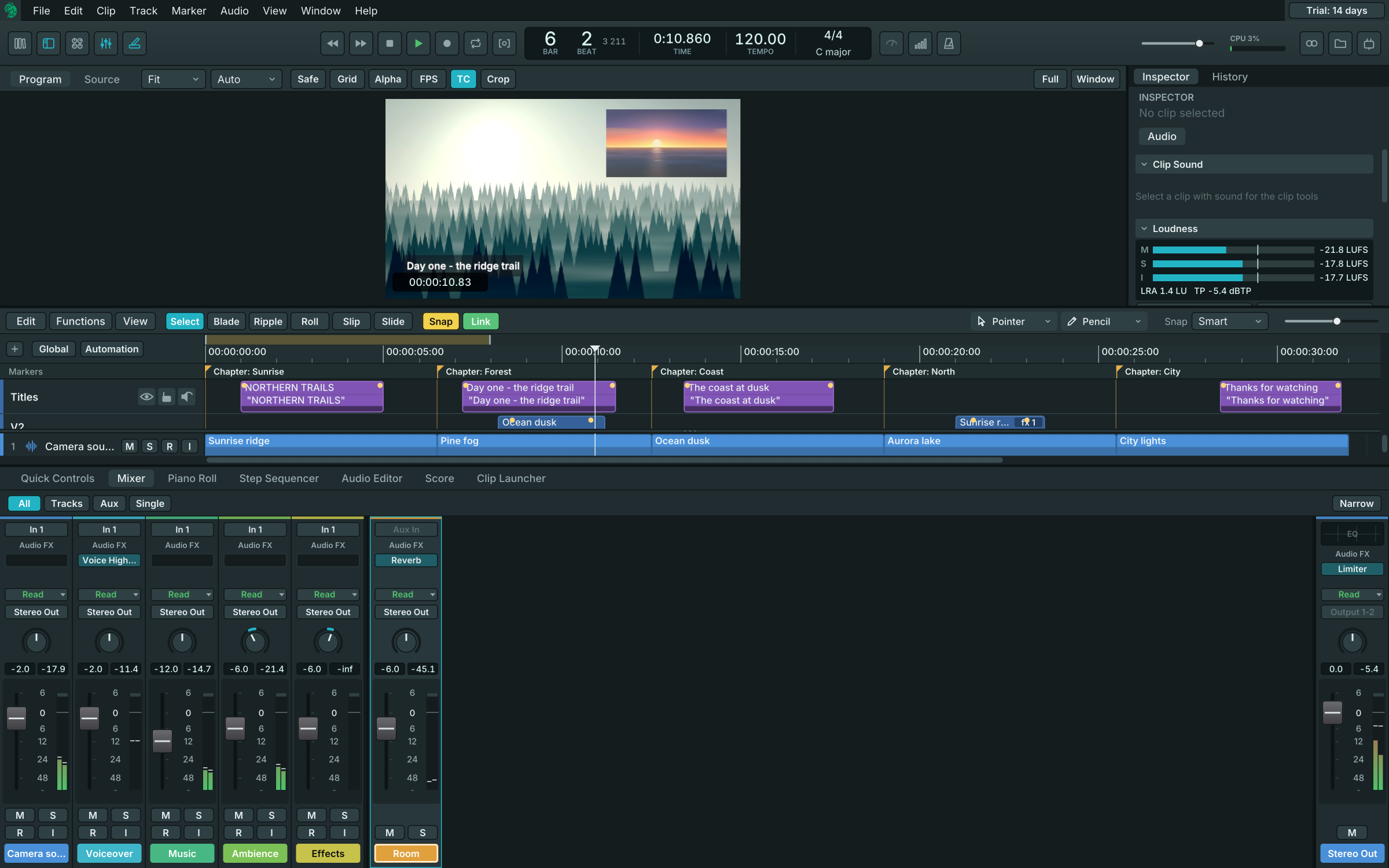
A real mixing desk under your video: a fader, effects and level meters for every track, with loudness shown as you play. 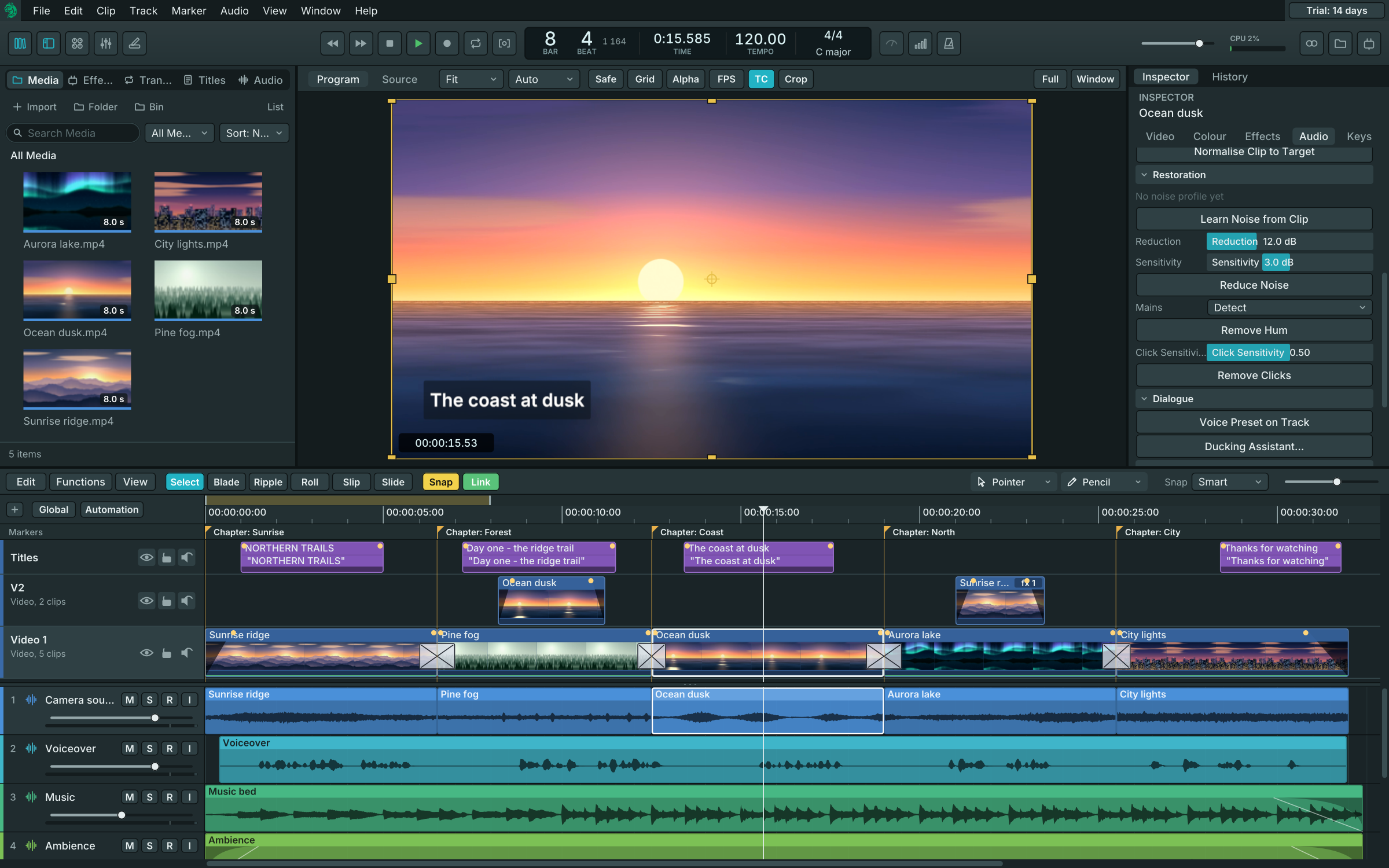
Clean up a clip's sound in a few clicks: reduce noise, remove hum and clicks, and give voices a polished preset. 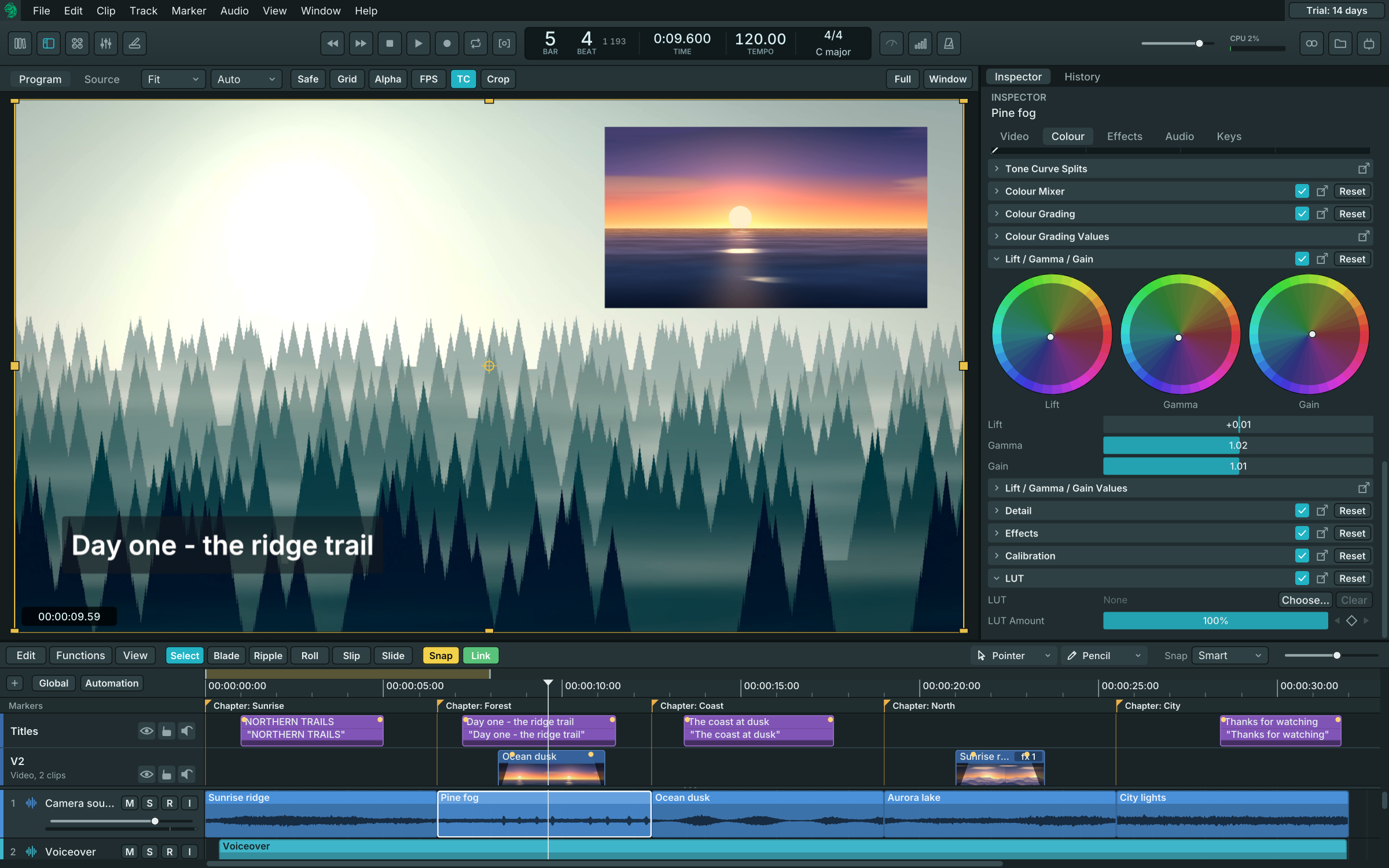
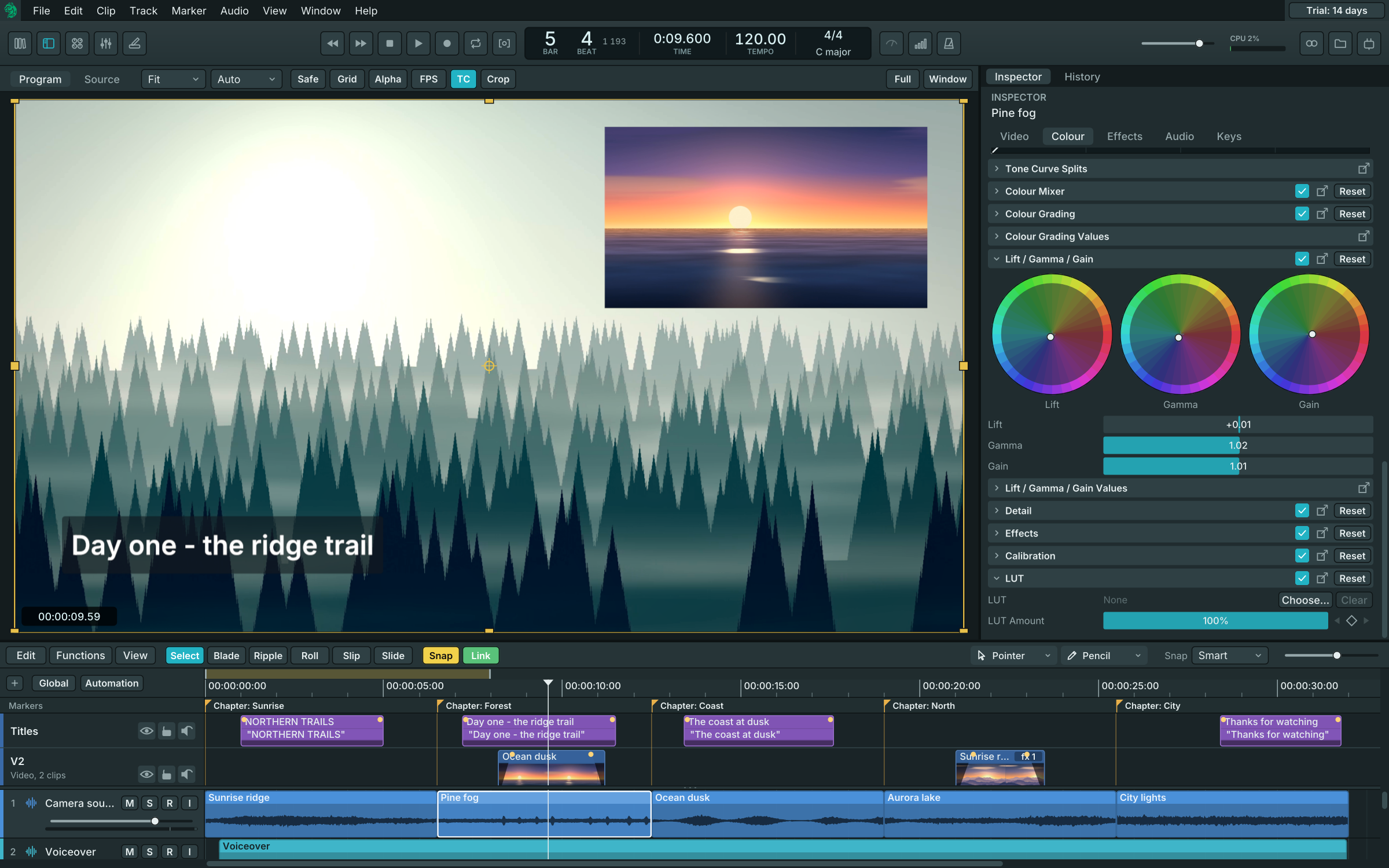
Color wheels and fine controls to set the mood of every shot, with the result right next to them. 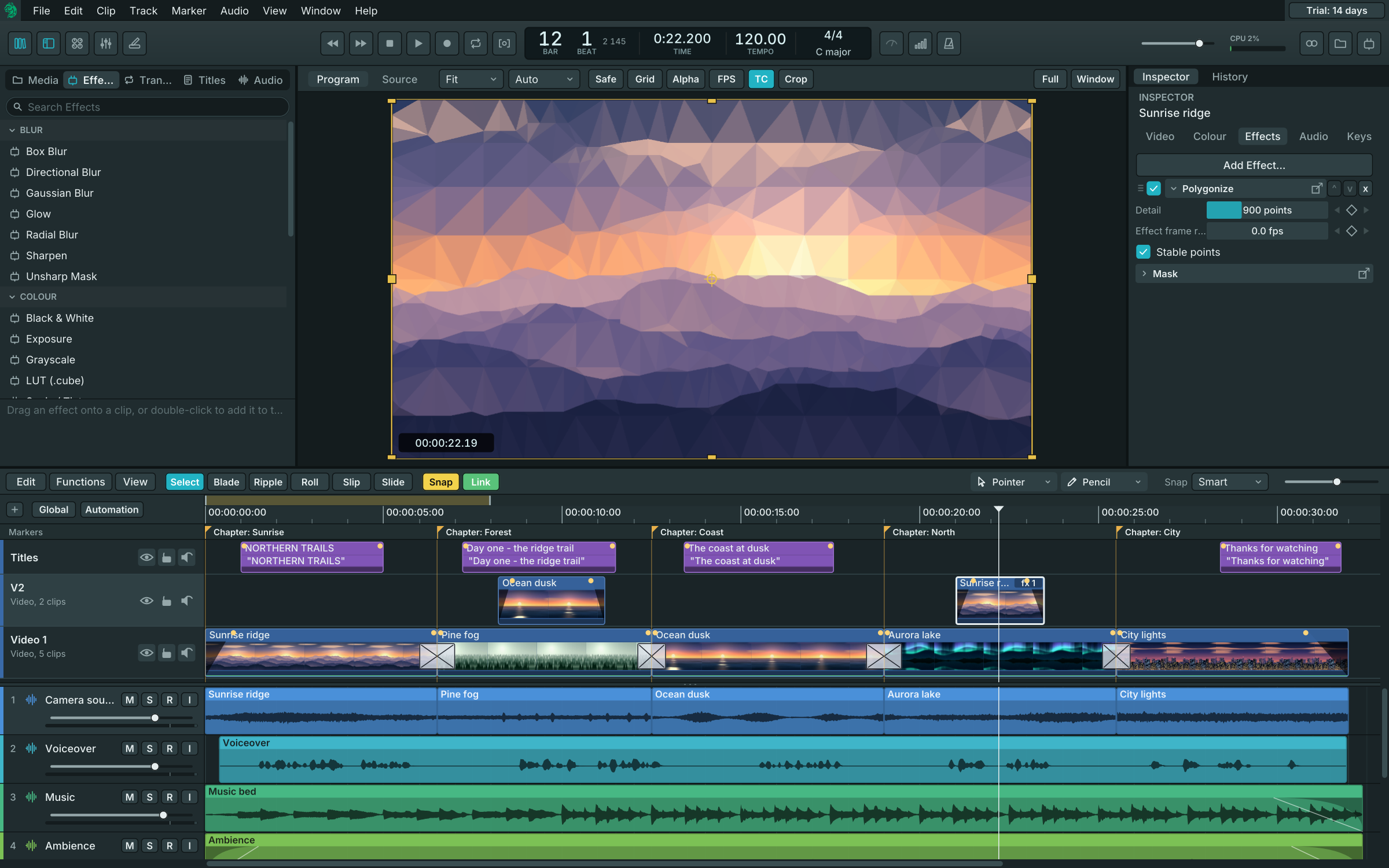
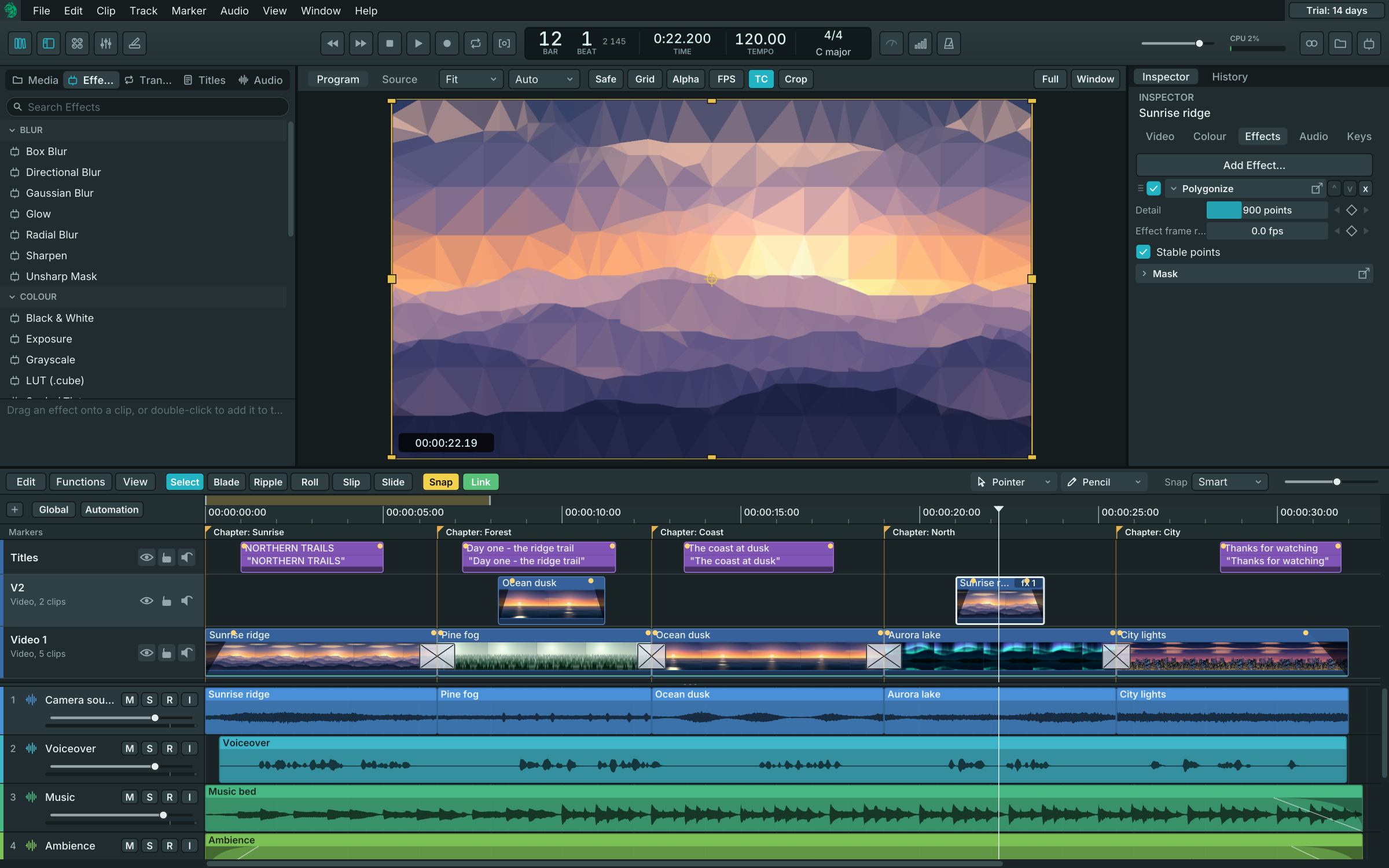
Drag an effect onto a clip and see it at once. Here, a low-poly look turns a sunrise into an illustration. 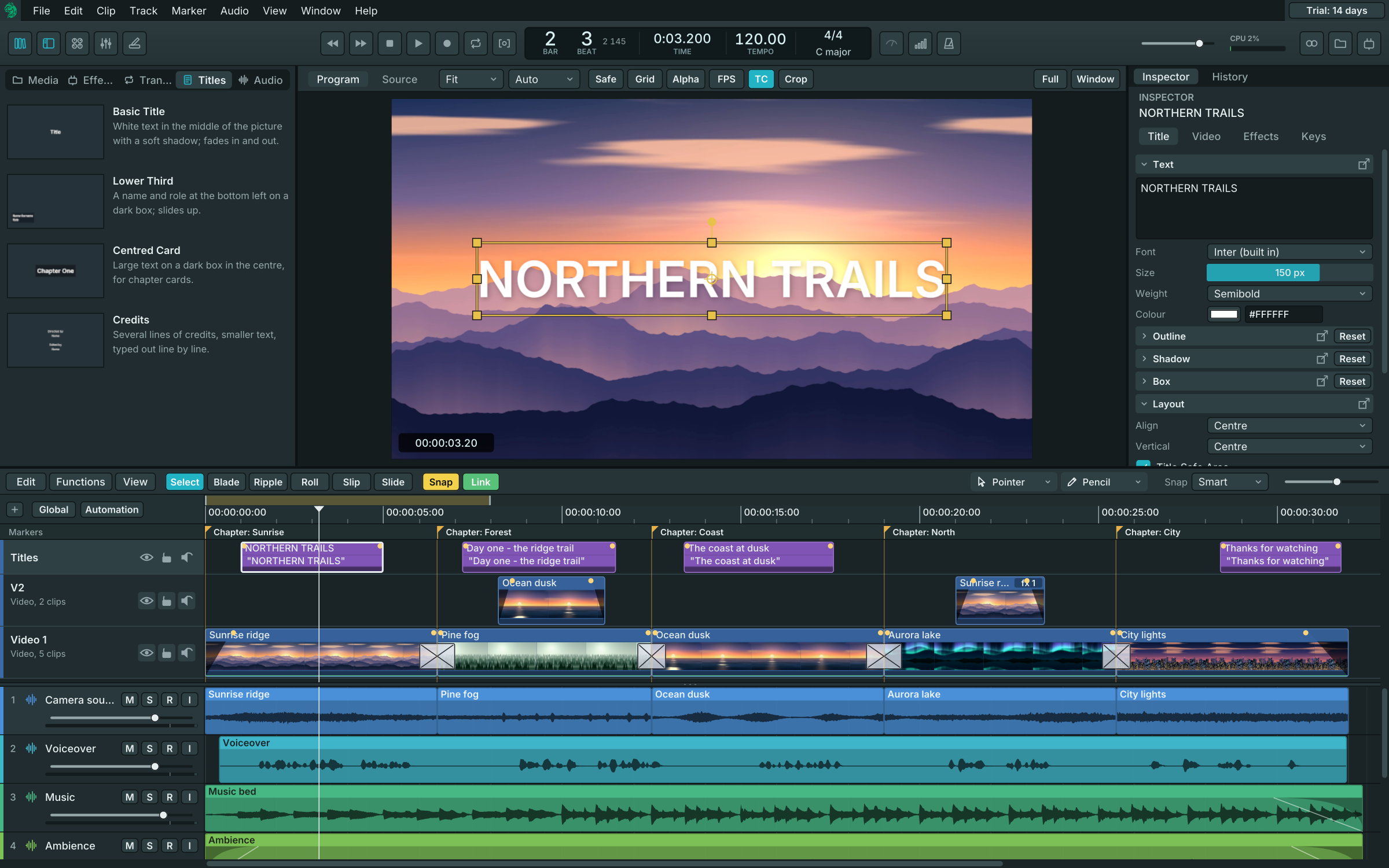
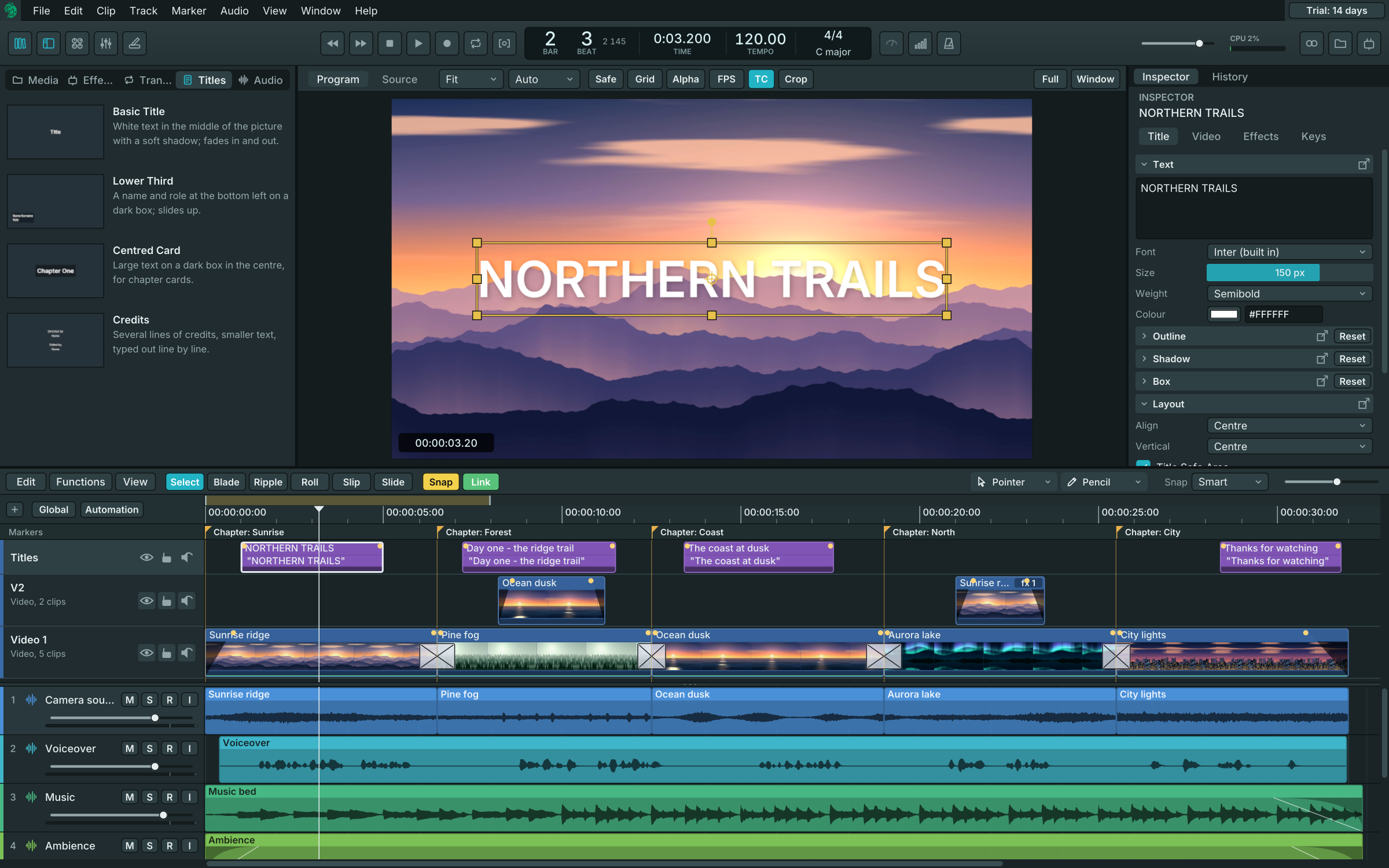
Titles you edit right on the picture: ready-made styles, your own fonts and simple animations.
Download Videctio
Without a license it works as a free trial for 14 days, with every feature, no card and no sign-up. Buy a license whenever you like and paste the key.
One-time purchase, no subscription. Includes a 14-day free trial with every feature and no watermark.
Updates
What's new in Videctio
Version 0.1.8Latest
- New: Camera Move. Right-click a clip, a still photo above all, to slowly zoom in or out or pan across it. Pick one of three strengths, and with several clips selected give them all the same move or a different one each with Varied.
- New: Add Transitions. Select several clips and right-click to put a transition on every cut between them, all the same or a different one at each cut, lasting half a second, 1 or 2 seconds. Remove Transitions takes them away.
Version 0.1.7
- Copy and paste clips and media between two open Videctio windows with Ctrl+C and Ctrl+V; the media they use comes along into the project.
- Drag media from one window's media browser to another, and drag clips onto another window's timeline.
- Projects with many clips finish loading sooner: thumbnails are now built on all of your computer's graphics cards at once.
Version 0.1.6
- Select several video and sound tracks and remove them at once, or empty the whole timeline with the new Clear button.
- Clip speed goes up to 32x, or type any rate you like; it applies to every selected clip.
- Shift + click selects a range of clips.
- Imported files go to the media browser only, not onto the timeline.
- Clips and media thumbnails show their picture size and frame rate.
- Fixed: submenus closing while you moved the pointer to them.
Version 0.1.5
- Long 60 fps clips now play smoothly, and the frame-rate readout shows honestly when frames are dropped.
- Thumbnails of long clips appear faster, and HLG video is colored faster.
Version 0.1.4
- New: automation on video tracks. Each animated setting (position, size, opacity, color, effects) gets its own lane, which you can edit like a sound lane or record by moving a control while the video plays.
- Sound tracks also show one lane per automated setting.
- The low-poly effect has more controls and plays 4K video smoothly.
- The import windows remember the last folder you used.
Version 0.1.3
- New: Close Gaps. Right-click the selected clips to move each one back against the clip before it, and everything after moves too.
- Fixed: a black frame at the cut between two clips during playback.
Version 0.1.2
- 4K footage now plays smoothly, including 10-bit and 60 fps clips.
- Fixed: the window's close button did nothing when the project had unsaved changes.
Version 0.1.1
- Videctio now tells you by itself when a newer version is out. A small notice appears in the menu bar; click it to see what is new and get the download. Nothing opens on its own, and you can switch it off in Preferences > Video.
Version 0.1.0
- First release of Videctio for Windows: editing on several tracks with a full mixer, color tools, titles, effects and export.
To update, download Videctio again and run the installer. You do not need to buy again: the same license key keeps working.
Details
- Status
- Available now
- Version
- 0.1.8
- Platforms
- Windows · macOS (later)
- Pricing
- US$19.99 · One-time purchase, no subscription. Includes a 14-day free trial with every feature and no watermark.
Requirements
- Windows 10 or later (64-bit)
- A graphics card is optional; it speeds up playback and export
Want a reminder before your trial ends?
Optional: leave your email and we'll write a day before your 14-day trial ends, with tips to get the most out of Videctio.